3D RENDERING
YOUTUBE VIDEOS
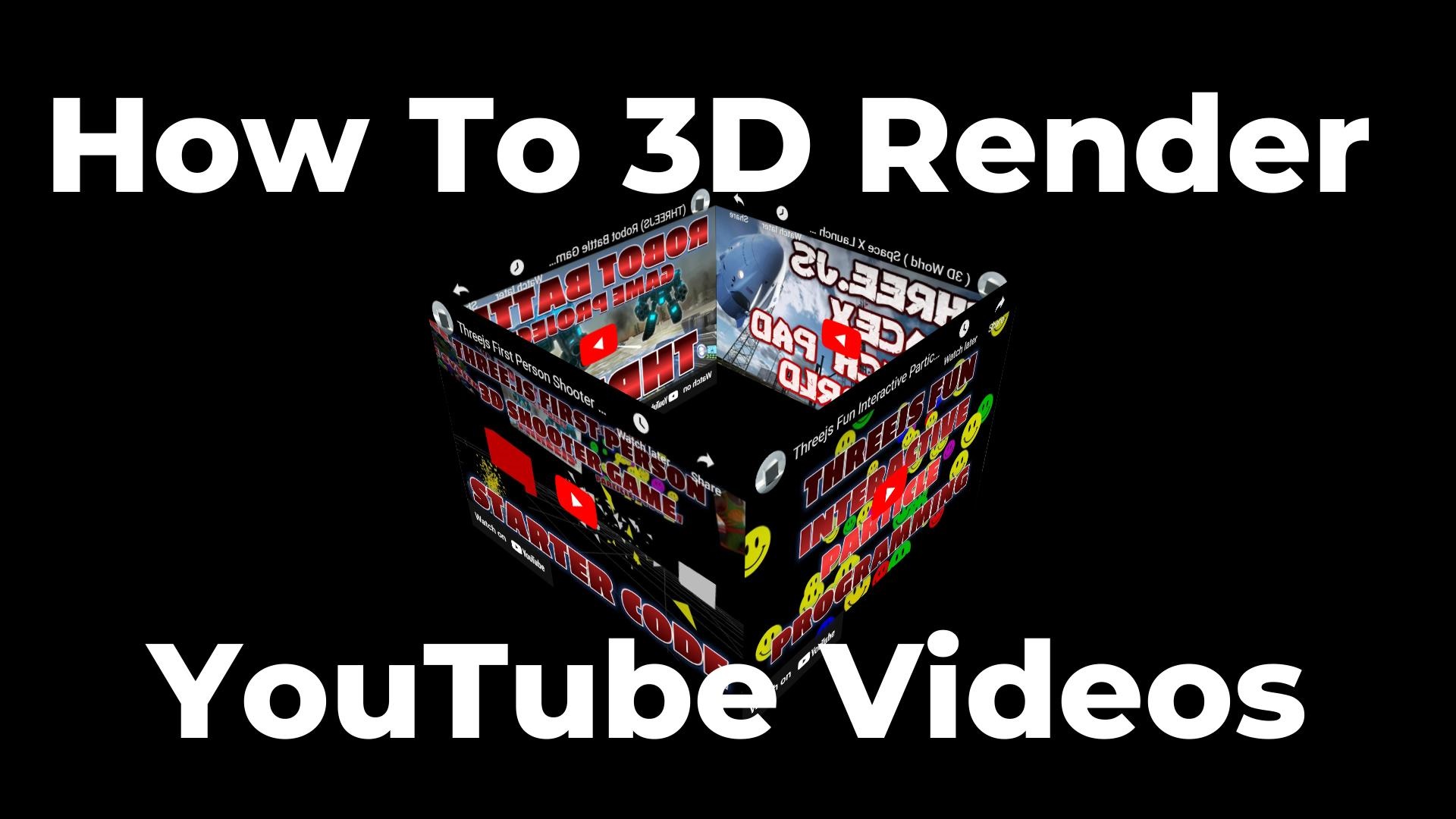
Render YouTube videos on 3D surfaces using Three.js CSS3DRenderer — build a rotating video cube with interactive camera controls and auto-rotation.
Frequently Asked Questions
How do you render YouTube videos in 3D with Three.js?
You use the CSS3DRenderer, which transforms regular HTML elements like YouTube iframes into 3D space using CSS transforms. Create a CSS3DObject wrapping an iframe element, then position it in your 3D scene. Unlike WebGL, the iframe remains fully interactive.
What is the difference between CSS3DRenderer and WebGLRenderer?
WebGLRenderer draws pixels to a canvas using the GPU and cannot render interactive HTML. CSS3DRenderer uses CSS 3D transforms to position real DOM elements in 3D space, keeping them fully interactive — you can click, scroll, and interact with embedded content like YouTube players.
Can users still interact with YouTube videos when rendered in 3D?
Yes. Because CSS3DRenderer uses actual DOM elements rather than textures, the YouTube iframe remains fully interactive. Users can play, pause, adjust volume, and use all standard YouTube controls. A blocker div is used during camera drag to prevent accidental iframe interaction.
How do you prevent iframe interaction while rotating the camera?
Use a transparent blocker div that covers the iframe during OrbitControls drag events. Listen for mousedown/mouseup on the renderer element — show the blocker on mousedown (blocking iframe pointer events) and hide it on mouseup to restore interactivity.
Introduction
Rendering YouTube videos in 3D space opens up entirely new possibilities for web experiences. Instead of flat, static video embeds, you can place videos on the faces of a rotating cube, create virtual video galleries, build immersive product showcases, or design game environments where screens display real video content.
This tutorial uses Three.js's CSS3DRenderer — a special renderer that transforms regular HTML elements (like YouTube iframes) into 3D space using CSS transforms. Unlike WebGL which renders pixels to a canvas, CSS3DRenderer keeps the HTML elements fully interactive — you can still click play, adjust volume, and interact with the YouTube player while it floats in 3D space.
You'll build a four-sided video cube where each face displays a different YouTube video, with OrbitControls for camera rotation and auto-rotation for an eye-catching attract mode. The same technique works for any HTML content — images, forms, text, even entire web pages rendered in 3D.
What You'll Learn
- Using CSS3DRenderer to place HTML elements in 3D space
- Creating CSS3DObject wrappers around YouTube iframes
- Positioning objects in a cube formation using rotation and translation
- Adding OrbitControls with auto-rotation for hands-free viewing
- Blocking iframe mouse events during camera drag (the blocker pattern)
- Constraining camera movement to horizontal-only orbit (locked polar angle)
- Responsive sizing for desktop and mobile viewports
Prerequisites
Basic Three.js knowledge (Scene, Camera, Renderer) and understanding of how YouTube embed iframes work. No WebGL shader knowledge needed — CSS3DRenderer uses CSS transforms, not GPU shaders.
SEE 3D AND 2D BROWSER GAMES IN ACTION
My free browser games are full Three.js 3D experiences — no download, they run right in your browser.