HOW TO MAKE ONE
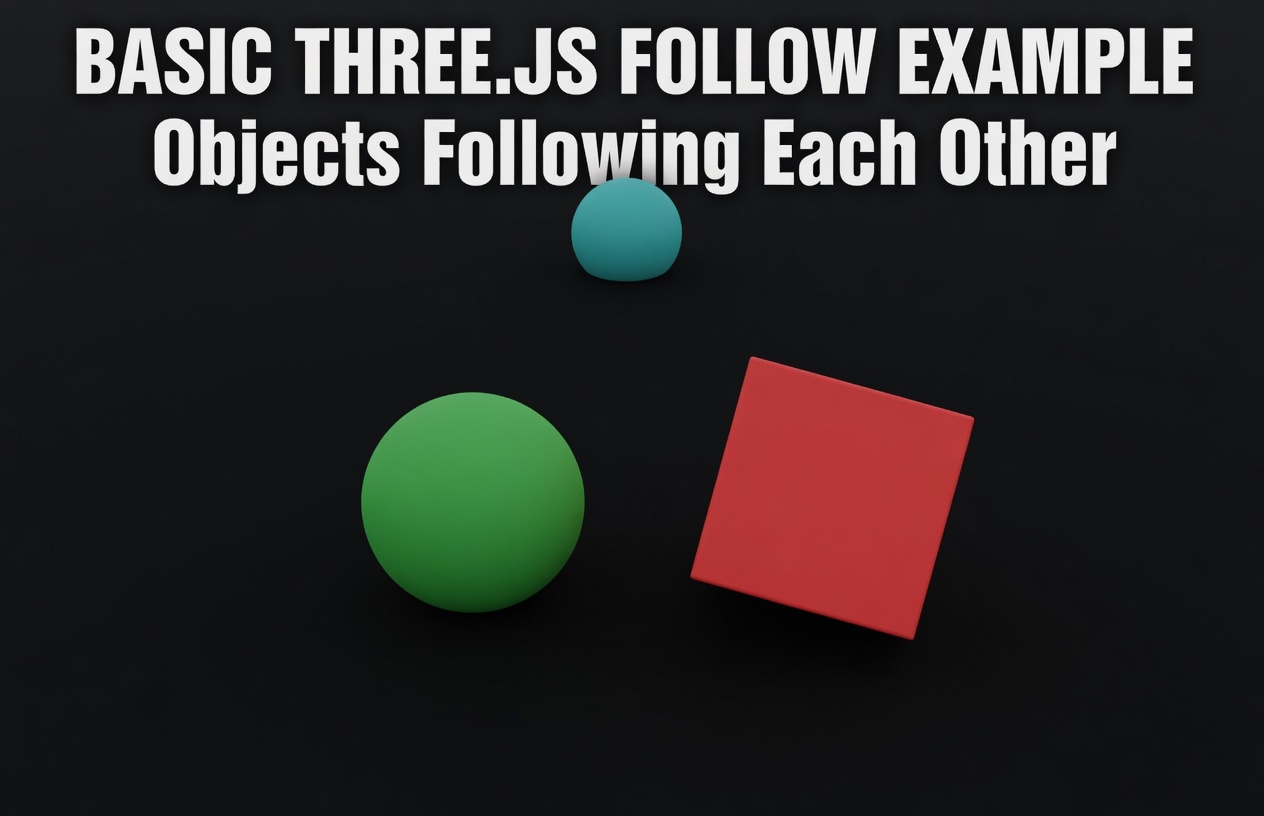
OBJECT FOLLOW ANOTHER
IN THREE.JS
Master object following behavior with step-by-step code examples and real-world applications.
By Shane Brumback • January 15, 2024
Introduction to Object Following
Object following is a fundamental technique in 3D graphics and game development. Whether you're building a camera system that tracks a player, creating enemy AI that pursues the player, or implementing interactive 3D experiences, understanding how to make one object follow another is essential. In Three.js, there are several approaches to implement object following behavior, each with its own advantages and use cases.
Why Object Following Matters
Object following is used in countless 3D applications. From third-person camera systems in games to particle effects that trail behind moving objects, this technique is fundamental to creating engaging 3D experiences. Understanding the different methods will help you choose the right approach for your specific use case.
Simple Lerp Following
The simplest and most commonly used method is linear interpolation (lerp). This creates smooth following by gradually moving the follower toward the target.
Code Example
// Simple Lerp Following
const followSpeed = 0.1; // Adjust for faster/slower following
function updateFollower() {
follower.position.lerp(target.position, followSpeed);
}
Explanation: The lerp() method smoothly interpolates between the current position and target position. The followSpeed parameter (0-1) controls how quickly the follower catches up. Lower values = slower, smoother following.
Distance-Based Following
This method maintains a specific distance between the follower and target. Perfect for camera systems that need to stay at a fixed distance from the player.
Code Example
// Distance-Based Following
const desiredDistance = 5;
const followSpeed = 0.05;
function updateFollower() {
const direction = new THREE.Vector3();
direction.subVectors(follower.position, target.position);
direction.normalize();
const desiredPosition = new THREE.Vector3();
desiredPosition.copy(target.position);
desiredPosition.addScaledVector(direction, desiredDistance);
follower.position.lerp(desiredPosition, followSpeed);
}
Explanation: This calculates a position at a fixed distance from the target, then smoothly moves the follower toward that position. Perfect for third-person camera systems.
Velocity-Based Following
This advanced method uses velocity vectors to create more realistic following behavior. Ideal for physics-based systems and AI that need to feel responsive.
Code Example
// Velocity-Based Following
const maxSpeed = 0.5;
const acceleration = 0.02;
let velocity = new THREE.Vector3();
function updateFollower() {
const direction = new THREE.Vector3();
direction.subVectors(target.position, follower.position);
if (direction.length() > 0.1) {
direction.normalize();
velocity.addScaledVector(direction, acceleration);
if (velocity.length() > maxSpeed) {
velocity.normalize().multiplyScalar(maxSpeed);
}
} else {
velocity.multiplyScalar(0.9); // Damping
}
follower.position.add(velocity);
}
Explanation: This method accelerates the follower toward the target with a maximum speed limit. It creates more natural, physics-like movement that feels responsive and smooth.
Look-At Following
Beyond position, you often want the follower to look at the target. Three.js provides the lookAt() method for this purpose.
Code Example
// Following with Look-At Behavior
const followSpeed = 0.1;
function updateFollower() {
// Move toward target
follower.position.lerp(target.position, followSpeed);
// Look at target
follower.lookAt(target.position);
}
Explanation: Combines position following with the lookAt() method to make the follower face the target. Useful for cameras, turrets, and characters that need to track their target.
Complete ObjectFollower Class
Here's a complete, reusable class that combines all methods into one flexible solution.
Code Example
// Complete ObjectFollower Class
class ObjectFollower {
constructor(follower, target, options = {}) {
this.follower = follower;
this.target = target;
this.followSpeed = options.followSpeed || 0.1;
this.distance = options.distance || null;
this.lookAt = options.lookAt || false;
this.velocity = new THREE.Vector3();
this.useVelocity = options.useVelocity || false;
this.maxSpeed = options.maxSpeed || 0.5;
}
update() {
if (this.useVelocity) {
this.updateWithVelocity();
} else if (this.distance) {
this.updateWithDistance();
} else {
this.updateSimple();
}
if (this.lookAt) {
this.follower.lookAt(this.target.position);
}
}
updateSimple() {
this.follower.position.lerp(this.target.position, this.followSpeed);
}
updateWithDistance() {
const direction = new THREE.Vector3();
direction.subVectors(this.follower.position, this.target.position);
direction.normalize();
const desiredPosition = new THREE.Vector3();
desiredPosition.copy(this.target.position);
desiredPosition.addScaledVector(direction, this.distance);
this.follower.position.lerp(desiredPosition, this.followSpeed);
}
updateWithVelocity() {
const direction = new THREE.Vector3();
direction.subVectors(this.target.position, this.follower.position);
if (direction.length() > 0.1) {
direction.normalize();
this.velocity.addScaledVector(direction, 0.02);
if (this.velocity.length() > this.maxSpeed) {
this.velocity.normalize().multiplyScalar(this.maxSpeed);
}
} else {
this.velocity.multiplyScalar(0.9);
}
this.follower.position.add(this.velocity);
}
}
// Usage Example
const follower = new ObjectFollower(camera, player, {
followSpeed: 0.1,
distance: 5,
lookAt: true
});
// In animation loop
function animate() {
follower.update();
renderer.render(scene, camera);
requestAnimationFrame(animate);
}
Explanation: This reusable class encapsulates all following methods. Simply instantiate it with your follower and target objects, then call update() in your animation loop.
Real-World Applications
Object following is used in countless 3D applications:
- Camera Systems: Third-person cameras that follow the player character
- Enemy AI: Game enemies that chase the player
- Particle Systems: Particles that follow a moving object
- UI Elements: 3D UI elements that follow the cursor or player
- Drones & Vehicles: Autonomous objects that track targets
Performance Considerations
When implementing object following, keep these performance tips in mind:
- Use lerp() for simple following - it's fast and efficient
- Avoid creating new Vector3 objects every frame - reuse them
- Consider using requestAnimationFrame for smooth updates
- Profile your code to identify bottlenecks
- Use delta time for frame-rate independent movement
3D Games
Videos
Complete HTML File - Copy & Paste Ready
Copy the complete HTML file below. This is a fully functional template with all object following methods implemented and ready to use.
<!DOCTYPE html>
<html lang="en">
<head>
<meta charset="utf-8" />
<meta name="viewport" content="width=device-width, initial-scale=1" />
<title>Object Following Demo - Three.js</title>
<style>
body { margin: 0; overflow: hidden; font-family: Arial, sans-serif; }
#canvas { display: block; }
</style>
</head>
<body>
<script src="https://cdn.jsdelivr.net/npm/three@latest/build/three.min.js"></script>
<script>
// Scene setup
const scene = new THREE.Scene();
scene.background = new THREE.Color(0x1a1a2e);
scene.fog = new THREE.Fog(0x1a1a2e, 100, 1000);
const camera = new THREE.PerspectiveCamera(75, window.innerWidth / window.innerHeight, 0.1, 1000);
camera.position.set(0, 2.5, 7.5);
const cameraOffset = new THREE.Vector3(0, 2.5, 7.5);
const renderer = new THREE.WebGLRenderer({ antialias: true });
renderer.setPixelRatio(window.devicePixelRatio);
renderer.setSize(window.innerWidth, window.innerHeight);
renderer.shadowMap.enabled = true;
document.body.appendChild(renderer.domElement);
// Lighting
const ambientLight = new THREE.AmbientLight(0xffffff, 0.6);
scene.add(ambientLight);
const directionalLight = new THREE.DirectionalLight(0xffffff, 0.8);
directionalLight.position.set(50, 50, 50);
directionalLight.castShadow = true;
directionalLight.shadow.mapSize.width = 2048;
directionalLight.shadow.mapSize.height = 2048;
scene.add(directionalLight);
// Ground
const groundGeometry = new THREE.PlaneGeometry(200, 200);
const groundMaterial = new THREE.MeshStandardMaterial({ color: 0x2d3436, roughness: 0.8 });
const ground = new THREE.Mesh(groundGeometry, groundMaterial);
ground.rotation.x = -Math.PI / 2;
ground.receiveShadow = true;
scene.add(ground);
const gridHelper = new THREE.GridHelper(200, 40, 0x444444, 0x222222);
scene.add(gridHelper);
// Target object (red cube)
const targetGeometry = new THREE.BoxGeometry(1, 1, 1);
const targetMaterial = new THREE.MeshStandardMaterial({ color: 0xff6b6b, metalness: 0.5, roughness: 0.5 });
const target = new THREE.Mesh(targetGeometry, targetMaterial);
target.position.set(0, 0.5, 0);
target.castShadow = true;
target.receiveShadow = true;
scene.add(target);
// Follower objects
const followers = [];
// Follower 1 - Simple Lerp (Green)
const follower1Geometry = new THREE.SphereGeometry(0.5, 32, 32);
const follower1Material = new THREE.MeshStandardMaterial({ color: 0x00ff88, metalness: 0.7, roughness: 0.3 });
const follower1 = new THREE.Mesh(follower1Geometry, follower1Material);
follower1.position.set(-5, 0.5, 0);
follower1.castShadow = true;
follower1.receiveShadow = true;
scene.add(follower1);
followers.push({ mesh: follower1, method: 'lerp', speed: 0.02 });
// Follower 2 - Distance-Based (Blue)
const follower2Geometry = new THREE.ConeGeometry(0.5, 1, 32);
const follower2Material = new THREE.MeshStandardMaterial({ color: 0x4ecdc4, metalness: 0.7, roughness: 0.3 });
const follower2 = new THREE.Mesh(follower2Geometry, follower2Material);
follower2.position.set(5, 0.5, 0);
follower2.castShadow = true;
follower2.receiveShadow = true;
scene.add(follower2);
followers.push({ mesh: follower2, method: 'distance', distance: 8, speed: 0.02 });
// Follower 3 - Velocity-Based (Yellow)
const follower3Geometry = new THREE.OctahedronGeometry(0.5);
const follower3Material = new THREE.MeshStandardMaterial({ color: 0xffd93d, metalness: 0.7, roughness: 0.3 });
const follower3 = new THREE.Mesh(follower3Geometry, follower3Material);
follower3.position.set(0, 0.5, -5);
follower3.castShadow = true;
follower3.receiveShadow = true;
scene.add(follower3);
followers.push({ mesh: follower3, method: 'velocity', maxSpeed: 0.1, velocity: new THREE.Vector3() });
// Keyboard input
const keys = {};
document.addEventListener('keydown', (e) => {
keys[e.key.toLowerCase()] = true;
});
document.addEventListener('keyup', (e) => {
keys[e.key.toLowerCase()] = false;
});
// Update target position with camera following
const targetSpeed = 0.1;
function updateTargetPosition() {
if (keys['w']) target.position.z -= targetSpeed;
if (keys['s']) target.position.z += targetSpeed;
if (keys['a']) target.position.x -= targetSpeed;
if (keys['d']) target.position.x += targetSpeed;
target.position.x = Math.max(-90, Math.min(90, target.position.x));
target.position.z = Math.max(-90, Math.min(90, target.position.z));
// Camera follows target while maintaining offset
const desiredCameraPos = new THREE.Vector3();
desiredCameraPos.copy(target.position);
desiredCameraPos.add(cameraOffset);
camera.position.lerp(desiredCameraPos, 0.05);
camera.lookAt(target.position);
}
// Update followers
function updateFollowers() {
followers.forEach((follower) => {
if (follower.method === 'lerp') {
follower.mesh.position.lerp(target.position, follower.speed);
} else if (follower.method === 'distance') {
const direction = new THREE.Vector3();
direction.subVectors(follower.mesh.position, target.position);
direction.normalize();
const desiredPosition = new THREE.Vector3();
desiredPosition.copy(target.position);
desiredPosition.addScaledVector(direction, follower.distance);
follower.mesh.position.lerp(desiredPosition, follower.speed);
} else if (follower.method === 'velocity') {
const direction = new THREE.Vector3();
direction.subVectors(target.position, follower.mesh.position);
if (direction.length() > 0.1) {
direction.normalize();
follower.velocity.addScaledVector(direction, 0.02);
if (follower.velocity.length() > follower.maxSpeed) {
follower.velocity.normalize().multiplyScalar(follower.maxSpeed);
}
} else {
follower.velocity.multiplyScalar(0.9);
}
follower.mesh.position.add(follower.velocity);
}
follower.mesh.rotation.x += 0.01;
follower.mesh.rotation.y += 0.02;
});
}
// Rotate target
function updateTarget() {
target.rotation.x += 0.01;
target.rotation.y += 0.01;
}
// Animation loop
function animate() {
requestAnimationFrame(animate);
updateTarget();
updateTargetPosition();
updateFollowers();
renderer.render(scene, camera);
}
animate();
window.addEventListener('resize', () => {
camera.aspect = window.innerWidth / window.innerHeight;
camera.updateProjectionMatrix();
renderer.setSize(window.innerWidth, window.innerHeight);
});
</script>
</body>
</html>✓ How to use: Copy all the code above, create a new .html file, paste the code, and open in your browser. No dependencies needed!
Conclusion
Object following is a versatile technique that enhances 3D experiences. Whether you choose simple lerp-based following or more complex velocity-based systems, understanding these methods will help you create smooth, professional-looking interactions in your Three.js projects. Experiment with different methods and parameters to find what works best for your specific use case.