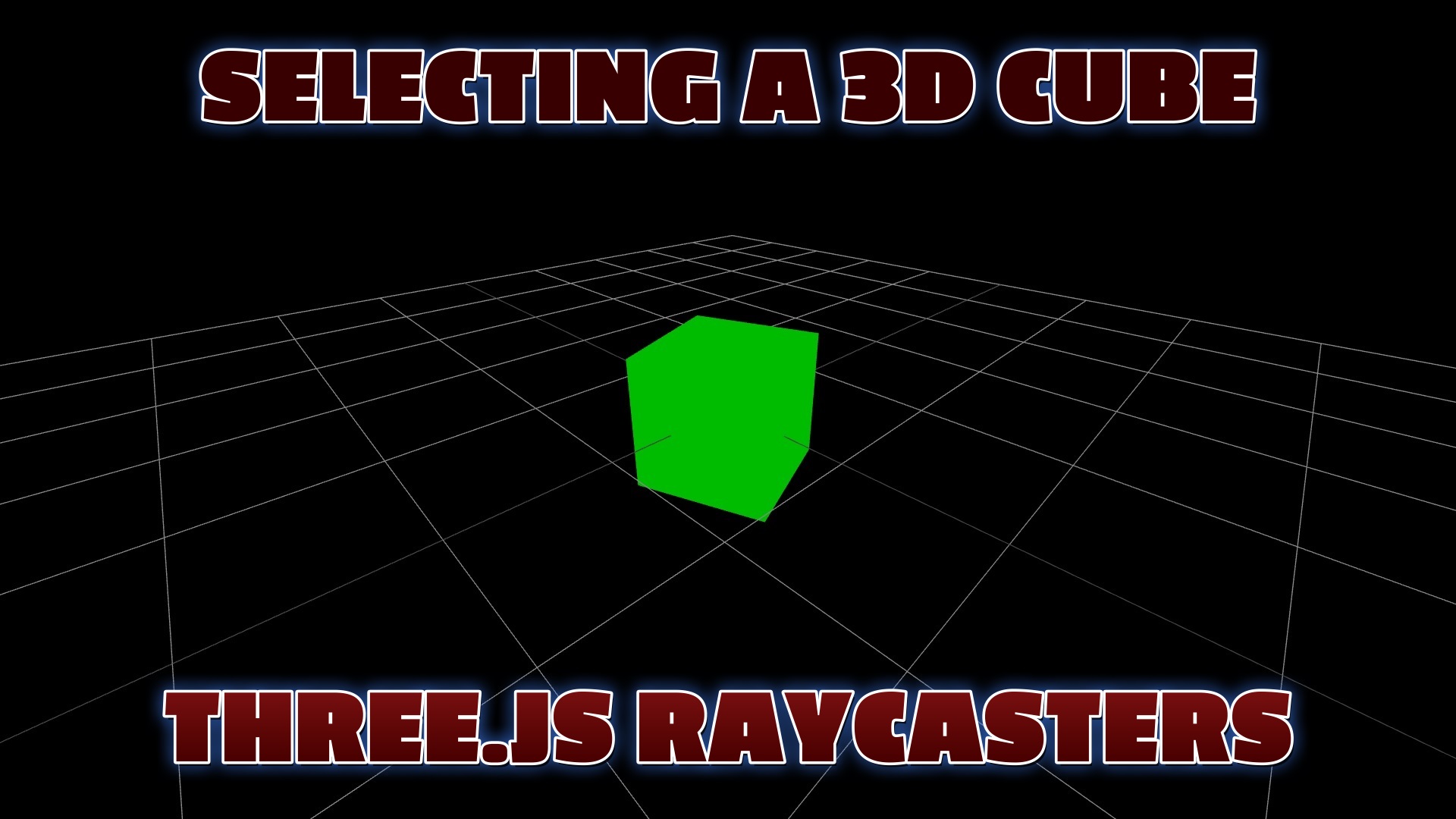
Selecting Objects with a Raycaster
Three.js is a powerful JavaScript library for creating and interacting with 3D graphics in the browser. One of the most common needs in any interactive 3D app is figuring out which object the user clicked on. That's exactly what a Raycaster is for.
The idea is simple: when the user clicks, you shoot an invisible ray from the camera through the mouse position into the scene. Three.js checks that ray against your objects and tells you which ones it hit, sorted from nearest to farthest. From there you can highlight the object, move it, delete it, or trigger any action you like.
In this tutorial we build a spinning blue cube on a grid. Click the cube and it turns green and animates toward the camera. Click it again and it returns to the center and back to blue. It's a compact, complete example of raycasting, mouse-to-NDC conversion, and simple tweening.
Shop great deals on gaming supplies and accessories on Amazon. As an Amazon Associate I earn from qualifying purchases.
Step 1: Create the Scene
const scene = new THREE.Scene();
const camera = new THREE.PerspectiveCamera(75, window.innerWidth/window.innerHeight, 0.1, 1000);
camera.position.set(5, 5, 5);

const renderer = new THREE.WebGLRenderer({ antialias: true });
renderer.setSize(window.innerWidth, window.innerHeight);
document.body.appendChild(renderer.domElement);
Step 2: Add the Cube, Grid & Lights
const geometry = new THREE.BoxGeometry();
const material = new THREE.MeshPhongMaterial({ color: 0x0000ff, shininess: 100 });
const mesh = new THREE.Mesh(geometry, material);
scene.add(mesh);

scene.add(new THREE.GridHelper(10, 10));
scene.add(new THREE.AmbientLight(0xffffff, 0.5));

const light = new THREE.DirectionalLight(0xffffff, 1);
light.position.set(5, 10, 5);
scene.add(light);
Step 3: Cast a Ray on Click
const raycaster = new THREE.Raycaster();
const mouse = new THREE.Vector2();

document.addEventListener('click', (event) => {
  // Screen coords -> normalized device coords (-1 to 1)
  mouse.x = (event.clientX / window.innerWidth) * 2 - 1;
  mouse.y = -(event.clientY / window.innerHeight) * 2 + 1;

  raycaster.setFromCamera(mouse, camera);
  const intersects = raycaster.intersectObject(mesh);

  if (intersects.length > 0) {
    // The ray hit the cube — do something with it
    onCubeClicked();
  }
});
Step 4: React to the Selection
let selected = false;

function onCubeClicked() {
  selected = !selected;
  if (selected) {
    mesh.material.color.set(0x00ff00);   // green when selected
    mesh.position.set(3, 3, 3);          // move toward the camera
  } else {
    mesh.material.color.set(0x0000ff);   // back to blue
    mesh.position.set(0, 0, 0);          // back to center
  }
}

function animate() {
  requestAnimationFrame(animate);
  mesh.rotation.y += 0.01;
  renderer.render(scene, camera);
}
animate();
Full Working Code (Copy & Paste)
<!DOCTYPE html>
<html lang="en">
<head>
  <meta charset="utf-8">
  <title>Select a 3D Cube with a Raycaster</title>
  <meta name="viewport" content="width=device-width, initial-scale=1">

  <script src="https://cdnjs.cloudflare.com/ajax/libs/three.js/r134/three.min.js"></script>
  <script src="https://cdn.jsdelivr.net/npm/three@0.134.0/examples/js/controls/OrbitControls.js"></script>

  <style>
    body { margin: 0; background: #000; overflow: hidden; }
  </style>
</head>

<body>

<script>
// Scene, camera, renderer
const scene = new THREE.Scene();
const camera = new THREE.PerspectiveCamera(
  75, window.innerWidth / window.innerHeight, 0.1, 1000
);
camera.position.set(5, 5, 5);

const renderer = new THREE.WebGLRenderer({ antialias: true });
renderer.setPixelRatio(window.devicePixelRatio);
renderer.setSize(window.innerWidth, window.innerHeight);
document.body.appendChild(renderer.domElement);

// Lights
scene.add(new THREE.AmbientLight(0xffffff, 0.5));
const light = new THREE.DirectionalLight(0xffffff, 1);
light.position.set(5, 10, 5);
scene.add(light);

// Cube
const geometry = new THREE.BoxGeometry();
const material = new THREE.MeshPhongMaterial({
  color: 0x0000ff, specular: 0xffffff, shininess: 100
});
const mesh = new THREE.Mesh(geometry, material);
scene.add(mesh);

// Grid
scene.add(new THREE.GridHelper(10, 10));

// Orbit controls
const controls = new THREE.OrbitControls(camera, renderer.domElement);

// Selection state
let isCubeSelected = false;
const initialPosition = mesh.position.clone();
const maxDistance = 2;

// Raycasting on click
document.addEventListener('click', (event) => {
  const mouse = new THREE.Vector2();
  mouse.x = (event.clientX / window.innerWidth) * 2 - 1;
  mouse.y = -(event.clientY / window.innerHeight) * 2 + 1;

  const raycaster = new THREE.Raycaster();
  raycaster.setFromCamera(mouse, camera);
  const intersects = raycaster.intersectObject(mesh);

  if (intersects.length > 0) {
    if (isCubeSelected) {
      isCubeSelected = false;
      moveCube(initialPosition);
      mesh.material.color.set(0x0000ff);
    } else {
      isCubeSelected = true;
      const target = camera.position.clone();
      if (mesh.position.distanceTo(target) <= maxDistance) {
        moveCube(initialPosition);
        mesh.material.color.set(0x0000ff);
      } else {
        moveCube(target);
        mesh.material.color.set(0x00ff00);
      }
    }
  }
});

// Tween the cube toward a position, stopping short of the camera
function moveCube(position) {
  const duration = 1;
  const startPosition = mesh.position.clone();
  let elapsed = 0;

  function updatePosition() {
    elapsed += 0.016;
    const t = elapsed / duration;
    if (t < 1) {
      if (mesh.position.distanceTo(position) <= 2) return;
      mesh.position.lerpVectors(startPosition, position, t);
      requestAnimationFrame(updatePosition);
    } else {
      mesh.position.copy(position);
      if (position.equals(initialPosition)) {
        isCubeSelected = false;
        controls.target.set(0, 0, 0);
      }
    }
  }
  updatePosition();
}

// Keep controls centered on the cube
function getCenter(m) {
  const box = new THREE.Box3().setFromObject(m);
  const center = new THREE.Vector3();
  box.getCenter(center);
  return center;
}

// Render loop
function animate() {
  requestAnimationFrame(animate);
  mesh.rotation.y += 0.01;
  controls.target.copy(getCenter(mesh));
  renderer.render(scene, camera);
}
animate();

// Resize handling
window.addEventListener('resize', () => {
  camera.aspect = window.innerWidth / window.innerHeight;
  camera.updateProjectionMatrix();
  renderer.setSize(window.innerWidth, window.innerHeight);
});
</script>

</body>
</html>