THREE.JS CAS SHARPEN PASS
CRISP GAMES AT LOW RESOLUTION
By Shane Brumback · · Intermediate · about 45 minutes
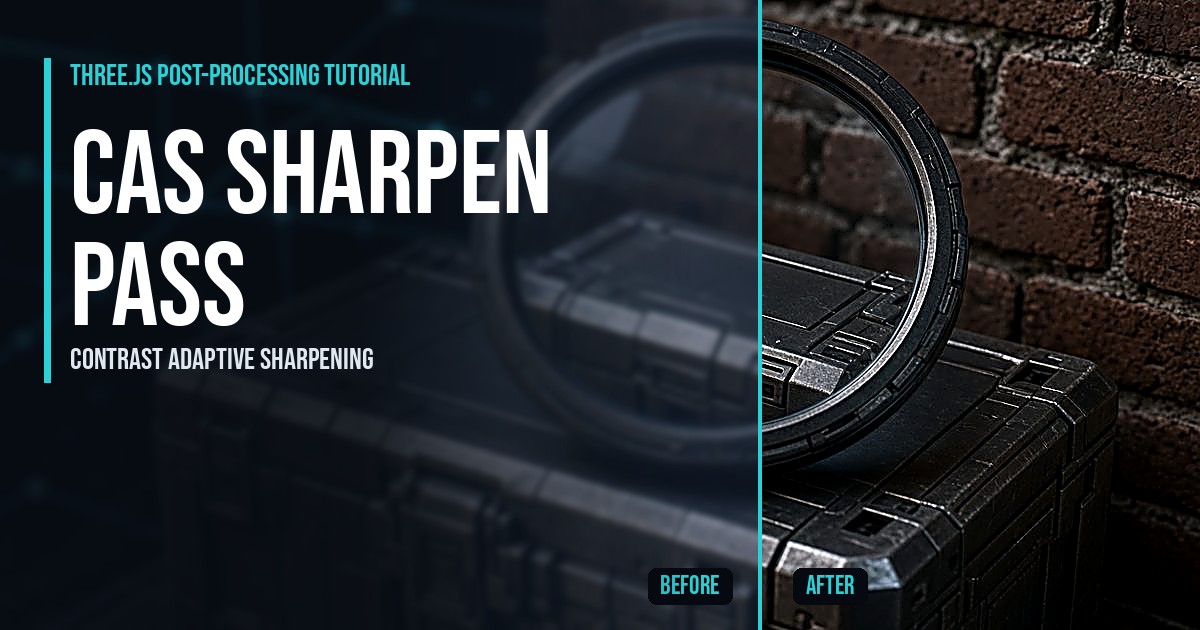
Render your Three.js scene at a lower resolution for speed, then win the detail back with contrast adaptive sharpening. The cyan line behind this page splits the raw image on the left from CAS on the right.
LIVE DEMO
Launch the split-screen full screen, orbit up close to the crates and bricks, and drag the sharpness, render scale and split sliders.
Orbit: drag · Zoom: scroll or pinch · Esc to exit
What Is a CAS Sharpen Pass? (Quick Answer)
A CAS sharpen pass is a post-processing shader that reads each pixel and its four neighbors, measures the local contrast, and sharpens soft areas more than strong edges. In Three.js you render the scene into a WebGLRenderTarget, then draw a full-screen quad whose ShaderMaterial applies CAS and outputs to the screen.
Introduction
Browser games almost always render below native resolution on laptops and phones. It is the single biggest speed win, and it makes everything a little blurry. In my game Super Soldier Battle I fixed that with a contrast adaptive sharpen pass, and this tutorial rebuilds it from scratch in one small file.
In plain words: we draw the game into a smaller picture, then a tiny shader makes the edges crisper before it is stretched onto your screen. The story behind it is in the free article Three.js sharpen filter: adding CAS to Super Soldier Battle.
What You'll Learn
- Rendering a Three.js scene into a WebGLRenderTarget at a lower render scale
- Writing a full-screen ShaderMaterial pass with a correct linear to sRGB output
- The CAS math: local min and max, adaptive amplitude and a negative-lobe kernel
- A before and after split line drawn inside the shader
- Live sliders for sharpness, render scale and the split
Prerequisites
Basic JavaScript and a first Three.js scene. No build tools: Three.js r160 loads from a CDN through an import map.
Frequently Asked Questions
How do I add a sharpen filter in Three.js?
Render your scene into a WebGLRenderTarget, then draw a full-screen quad with a ShaderMaterial that samples that target and sharpens it. With EffectComposer you can put the same fragment shader in a ShaderPass instead.
What is contrast adaptive sharpening (CAS)?
An open sharpening technique from AMD FidelityFX. It looks at each pixel and its neighbors and sharpens soft areas more than areas that already have strong contrast, which avoids the halos of a plain sharpen.
Should sharpening go before or after anti-aliasing?
After. Anti-aliasing smooths jagged edges; sharpening before it just sharpens the jaggies. The usual order is render, tone map, anti-alias, sharpen, then grain and UI.
Does CAS work on mobile?
Yes. It costs five texture reads per pixel. Paired with a lower render scale, it is usually faster than rendering at full resolution and looks close to it.
Why use a HalfFloat render target?
It keeps the colors in linear space with extra precision, so the shader sharpens the true values, and the colorspace include converts the result to sRGB for the screen exactly once.
How It Works
- Renderer, scene and camera — In plain words: We create the 3D window with anti-aliasing off and pixel ratio 1, so the softness you see comes only from the render scale, not from the browser.
- Detailed textures — In plain words: Sharpening only shows on detail, so we paint crates with wood grain and rivets, bricks with mortar lines and a tiled floor with a yellow stripe, all in code.
- Build the yard — In plain words: Random crates, four brick walls, lamp posts and two lights make a small test scene with lots of hard edges and fine texture, like a real game map..
- Render into a smaller render target — In plain words: Instead of drawing straight to the screen, we draw into an off-screen image that is only 60 to 75 percent of the screen size.
- The CAS shader — In plain words: For each pixel we read it and its four neighbors, find the darkest and brightest, and work out how much room there is to sharpen without clipping.
- Live sliders — In plain words: Sharpness changes the CAS strength, render scale changes how soft the source image is, and the split slider moves the comparison line.
- The two-pass render loop — In plain words: Every frame we render the 3D scene into the small target, then draw one full-screen quad with the CAS shader to the real screen.
READ THE FREE ARTICLE
Why Super Soldier Battle needed a sharpen filter, unsharp mask vs CAS, and what it cost: Three.js sharpen filter.
Taking It Further
- Move the CAS shader into an EffectComposer ShaderPass after your FXAA or SMAA pass.
- Save the sharpness in localStorage and expose it in a settings menu, like the game does.
- Pick the render scale from frame time so slow devices drop resolution automatically.
- Add glow on top with the Three.js bloom glow tutorial.