3D EXPLOSION
PARTICLE EFFECT
Build a clickable 3D explosion in the browser with Three.js — glowing debris that bursts outward with real velocity, gravity, drag, and fade-out, all from a single GPU-friendly particle system.

LIVE DEMO
The glowing bursts firing behind this page are the live demo. Click anywhere to set off an explosion, drag to orbit the camera. Scroll to keep reading.
Hides the page so you get the scene full screen — click to detonate, drag to orbit, press Esc to exit.
Introduction
A good explosion is one of the most satisfying effects you can add to a 3D scene — and it's really just a particle system with attitude. In this tutorial you'll build one from scratch in Three.js: click anywhere and a cloud of glowing embers bursts outward, arcs under gravity, slows from drag, and fades away. No libraries beyond Three.js, no post-processing, under 100 lines.
The whole effect rides on a single THREE.Points object. Instead of making hundreds of separate meshes (slow), we store every particle as a vertex in one BufferGeometry and move them by rewriting the position array each frame. That's how games push thousands of sparks at 60fps.
You'll learn the pattern once and reuse it everywhere — muzzle flashes, fireworks, impact debris, magic spells. Everything is the same loop: spawn with random velocity, integrate motion, fade out, recycle.
Frequently Asked Questions
How do you make an explosion effect in Three.js?
Spawn a burst of particles at the impact point, give each one a random outward velocity, then every frame move them by that velocity while applying gravity and drag and fading their opacity to zero. In Three.js the fastest approach is a single THREE.Points object backed by a BufferGeometry whose position array you update each frame.
What is THREE.Points and why use it for particles?
THREE.Points renders a BufferGeometry's vertices as individual dots (sprites) using a PointsMaterial. It draws thousands of particles in a single GPU draw call, which is far faster than creating thousands of separate meshes. That makes it ideal for explosions, smoke, sparks, and other particle systems.
How do you give explosion particles realistic motion?
Store a velocity vector per particle. Each frame, subtract gravity from the Y velocity, multiply all velocities by a drag factor just under 1.0 so they slow down, then add the velocity to the particle's position. Combine that with shrinking size and fading opacity over the particle's lifetime for a natural burst-and-settle look.
How do you make particles glow in Three.js?
Use a PointsMaterial with additive blending (THREE.AdditiveBlending) and set depthWrite to false. Additive blending adds each particle's color to whatever is behind it, so overlapping particles build up to bright white hot spots, giving a convincing fiery glow without any post-processing.
How It Works
- One Points object holds every particle as a vertex in a
BufferGeometry— one draw call for the whole burst. - On click, we raycast from the mouse to a point in the scene and spawn a batch of particles there.
- Each particle gets a random velocity pointing outward in a sphere, plus a life value of 1.0.
- Every frame we apply gravity to Y, multiply velocity by drag, add velocity to position, and tick life down.
- Opacity follows life, so the cloud fades as it settles. When life hits 0 the particle is free to respawn on the next blast.
- Additive blending makes overlapping embers glow hot in the center.
Code Breakdown
Here is the whole effect in plain English. Beginners: read the bold summaries. Developers: the notes after each explain the why and the performance choices.
1. Loading Three.js with an import map
<script type="importmap">
  { "imports": { "three": "https://unpkg.com/three@0.186.1/build/three.module.js" } }
</script>
<script type="module">
  import * as THREE from "three";
</script>
In plain English: the import map lets you write import ... from "three" and the browser fetches it straight from a CDN — no build step, no bundler. Developer note: pinning an exact version (0.186.1) keeps the demo from breaking when Three.js ships an update.
2. One buffer holds every particle
const COUNT = 400;
const positions = new Float32Array(COUNT * 3);   // x,y,z per particle
const velocities = new Float32Array(COUNT * 3);  // vx,vy,vz per particle
const life = new Float32Array(COUNT);            // 1 = fresh, 0 = dead

const geo = new THREE.BufferGeometry();
geo.setAttribute('position', new THREE.BufferAttribute(positions, 3));
In plain English: rather than 400 little objects, we keep three flat arrays — where each particle is, how fast it's moving, and how alive it is. Developer note: typed arrays (Float32Array) map directly to GPU memory, so updating them each frame is cheap. Velocity and life live in plain JS arrays because the GPU never needs them — only position is a geometry attribute.
3. The glowing material
const mat = new THREE.PointsMaterial({
  size: 0.5, vertexColors: true,
  transparent: true, depthWrite: false,
  blending: THREE.AdditiveBlending
});
const points = new THREE.Points(geo, mat);
scene.add(points);
In plain English: THREE.Points draws every vertex as a little glowing dot. Additive blending makes overlapping dots stack up into bright, fiery cores. Developer note: depthWrite:false stops particles from occluding each other and causing dark seams; it's the standard combo for additive glow.
4. Detonate — spawn a burst
function explode(center) {
  for (let i = 0; i < COUNT; i++) {
    positions[i*3]   = center.x;
    positions[i*3+1] = center.y;
    positions[i*3+2] = center.z;
    // random direction on a sphere, random speed
    const dir = new THREE.Vector3().randomDirection();
    const speed = 2 + Math.random() * 6;
    velocities[i*3]   = dir.x * speed;
    velocities[i*3+1] = dir.y * speed;
    velocities[i*3+2] = dir.z * speed;
    life[i] = 1;
  }
}
In plain English: every particle is reset to the blast point and fired off in a random direction at a random speed, then marked fully alive. Developer note: Vector3.randomDirection() gives an evenly distributed point on a unit sphere — so the burst looks spherical, not biased toward the corners.
5. The physics — move, pull, drag, fade
const GRAVITY = 9, DRAG = 0.96;
function update(dt) {
  for (let i = 0; i < COUNT; i++) {
    if (life[i] <= 0) continue;
    velocities[i*3+1] -= GRAVITY * dt;        // gravity pulls down
    velocities[i*3]   *= DRAG;                // air drag slows it
    velocities[i*3+1] *= DRAG;
    velocities[i*3+2] *= DRAG;
    positions[i*3]   += velocities[i*3]   * dt;
    positions[i*3+1] += velocities[i*3+1] * dt;
    positions[i*3+2] += velocities[i*3+2] * dt;
    life[i] -= dt * 0.8;                       // age the particle
  }
  geo.attributes.position.needsUpdate = true; // tell the GPU to re-read
}
In plain English: each frame we tug every particle down a bit (gravity), slow it a bit (drag), slide it along its velocity, and age it. That's the entire motion of an explosion. Developer note: multiplying by dt (seconds since last frame) makes the sim frame-rate independent. The one line that matters most is needsUpdate = true — forget it and the GPU keeps drawing the old positions.
6. Click to blast + the render loop
addEventListener('pointerdown', e => {
  // project the click onto a plane in front of the camera
  const ndc = new THREE.Vector2(
    (e.clientX / innerWidth) * 2 - 1,
    -(e.clientY / innerHeight) * 2 + 1
  );
  raycaster.setFromCamera(ndc, camera);
  const hit = raycaster.ray.at(14, new THREE.Vector3());
  explode(hit);
});

function animate() {
  requestAnimationFrame(animate);
  update(clock.getDelta());
  renderer.render(scene, camera);
}
animate();
In plain English: when you click, we figure out where in 3D space that was and fire the burst there; the loop just steps the physics and redraws. Developer note: casting the ray and sampling it at a fixed distance (ray.at(14, ...)) drops the explosion onto an invisible plane 14 units out — simple and reliable without needing scene geometry to hit.
The Full Code
Copy this into a file named index.html and open it in any modern browser — or hit Launch. Three.js loads from a CDN via the import map, so it runs as-is. Click anywhere to detonate.
<!DOCTYPE html>
<html lang="en">
<head>
<meta charset="utf-8">
<meta name="viewport" content="width=device-width, initial-scale=1">
<title>Three.js 3D Explosion Effect</title>
<style>
body { margin: 0; overflow: hidden; background: #05070d; }
#hint { position: fixed; left: 50%; bottom: 18px; transform: translateX(-50%);
font: 14px system-ui, sans-serif; color: #cbd5e1; background: rgba(0,0,0,.5);
padding: 8px 16px; border-radius: 8px; pointer-events: none; }
</style>
<script type="importmap">
{ "imports": { "three": "https://unpkg.com/three@0.186.1/build/three.module.js" } }
</script>
</head>
<body>
<div id="hint">Click anywhere to detonate · drag to orbit</div>
<script type="module">
import * as THREE from "three";
// ---- Scene, camera, renderer ----
const scene = new THREE.Scene();
scene.background = new THREE.Color(0x05070d);
const camera = new THREE.PerspectiveCamera(60, innerWidth / innerHeight, 0.1, 1000);
camera.position.set(0, 2, 26);
const renderer = new THREE.WebGLRenderer({ antialias: true });
renderer.setPixelRatio(Math.min(devicePixelRatio, 2));
renderer.setSize(innerWidth, innerHeight);
document.body.appendChild(renderer.domElement);
// ---- A single Points object holds the whole explosion ----
const COUNT = 400;
const positions = new Float32Array(COUNT * 3);
const colors = new Float32Array(COUNT * 3);
const velocities = new Float32Array(COUNT * 3);
const life = new Float32Array(COUNT); // 1 = fresh, 0 = dead
const geo = new THREE.BufferGeometry();
geo.setAttribute('position', new THREE.BufferAttribute(positions, 3));
geo.setAttribute('color', new THREE.BufferAttribute(colors, 3));
const mat = new THREE.PointsMaterial({
size: 0.5, vertexColors: true, transparent: true,
opacity: 1, depthWrite: false, blending: THREE.AdditiveBlending
});
const points = new THREE.Points(geo, mat);
scene.add(points);
// Hot ember palette (red -> orange -> yellow)
const palette = [
new THREE.Color(0xff3b00), new THREE.Color(0xff7b00),
new THREE.Color(0xffb300), new THREE.Color(0xffe066)
];
// ---- Fire a burst at a point ----
function explode(center) {
for (let i = 0; i < COUNT; i++) {
positions[i*3] = center.x;
positions[i*3+1] = center.y;
positions[i*3+2] = center.z;
const dir = new THREE.Vector3().randomDirection();
const speed = 2 + Math.random() * 7;
velocities[i*3] = dir.x * speed;
velocities[i*3+1] = dir.y * speed;
velocities[i*3+2] = dir.z * speed;
const c = palette[(Math.random() * palette.length) | 0];
colors[i*3] = c.r; colors[i*3+1] = c.g; colors[i*3+2] = c.b;
life[i] = 1;
}
geo.attributes.position.needsUpdate = true;
geo.attributes.color.needsUpdate = true;
}
// ---- Physics: gravity, drag, move, fade ----
const GRAVITY = 9, DRAG = 0.96;
function update(dt) {
let anyAlive = false;
for (let i = 0; i < COUNT; i++) {
if (life[i] <= 0) continue;
anyAlive = true;
velocities[i*3+1] -= GRAVITY * dt;
velocities[i*3] *= DRAG;
velocities[i*3+1] *= DRAG;
velocities[i*3+2] *= DRAG;
positions[i*3] += velocities[i*3] * dt;
positions[i*3+1] += velocities[i*3+1] * dt;
positions[i*3+2] += velocities[i*3+2] * dt;
life[i] -= dt * 0.8;
}
if (anyAlive) geo.attributes.position.needsUpdate = true;
// Fade the whole cloud with the strongest remaining life
let maxLife = 0;
for (let i = 0; i < COUNT; i++) if (life[i] > maxLife) maxLife = life[i];
mat.opacity = maxLife;
}
// ---- Click to detonate ----
const raycaster = new THREE.Raycaster();
addEventListener('pointerdown', e => {
const ndc = new THREE.Vector2(
(e.clientX / innerWidth) * 2 - 1,
-(e.clientY / innerHeight) * 2 + 1
);
raycaster.setFromCamera(ndc, camera);
const hit = raycaster.ray.at(14, new THREE.Vector3());
explode(hit);
});
// ---- Minimal drag-to-orbit (no addons) ----
let dragging = false, px = 0, py = 0, yaw = 0, pitch = 0.08, radius = 26;
addEventListener('pointerdown', e => { dragging = true; px = e.clientX; py = e.clientY; });
addEventListener('pointerup', () => { dragging = false; });
addEventListener('pointermove', e => {
if (!dragging) return;
yaw -= (e.clientX - px) * 0.005;
pitch -= (e.clientY - py) * 0.005;
pitch = Math.max(-1.2, Math.min(1.2, pitch));
px = e.clientX; py = e.clientY;
});
const clock = new THREE.Clock();
function animate() {
requestAnimationFrame(animate);
update(Math.min(clock.getDelta(), 0.05));
camera.position.x = Math.sin(yaw) * Math.cos(pitch) * radius;
camera.position.y = Math.sin(pitch) * radius + 2;
camera.position.z = Math.cos(yaw) * Math.cos(pitch) * radius;
camera.lookAt(0, 2, 0);
renderer.render(scene, camera);
}
explode(new THREE.Vector3(0, 4, 0)); // one blast on load
animate();
addEventListener('resize', () => {
camera.aspect = innerWidth / innerHeight;
camera.updateProjectionMatrix();
renderer.setSize(innerWidth, innerHeight);
});
</script>
</body>
</html>
What To Try Next
- Swap the ember palette for cool blues and whites to make a magic/energy burst.
- Add a quick white flash sprite at the center on each detonation for extra punch.
- Give particles a
sizethat shrinks withlifeusing a custom shader material. - Spawn a ring of debris on the ground plane for a shockwave.
- Trigger explosions from game events (projectile hits) instead of clicks.
WANT TO SEE AI BUILD A 3D CHARACTER?
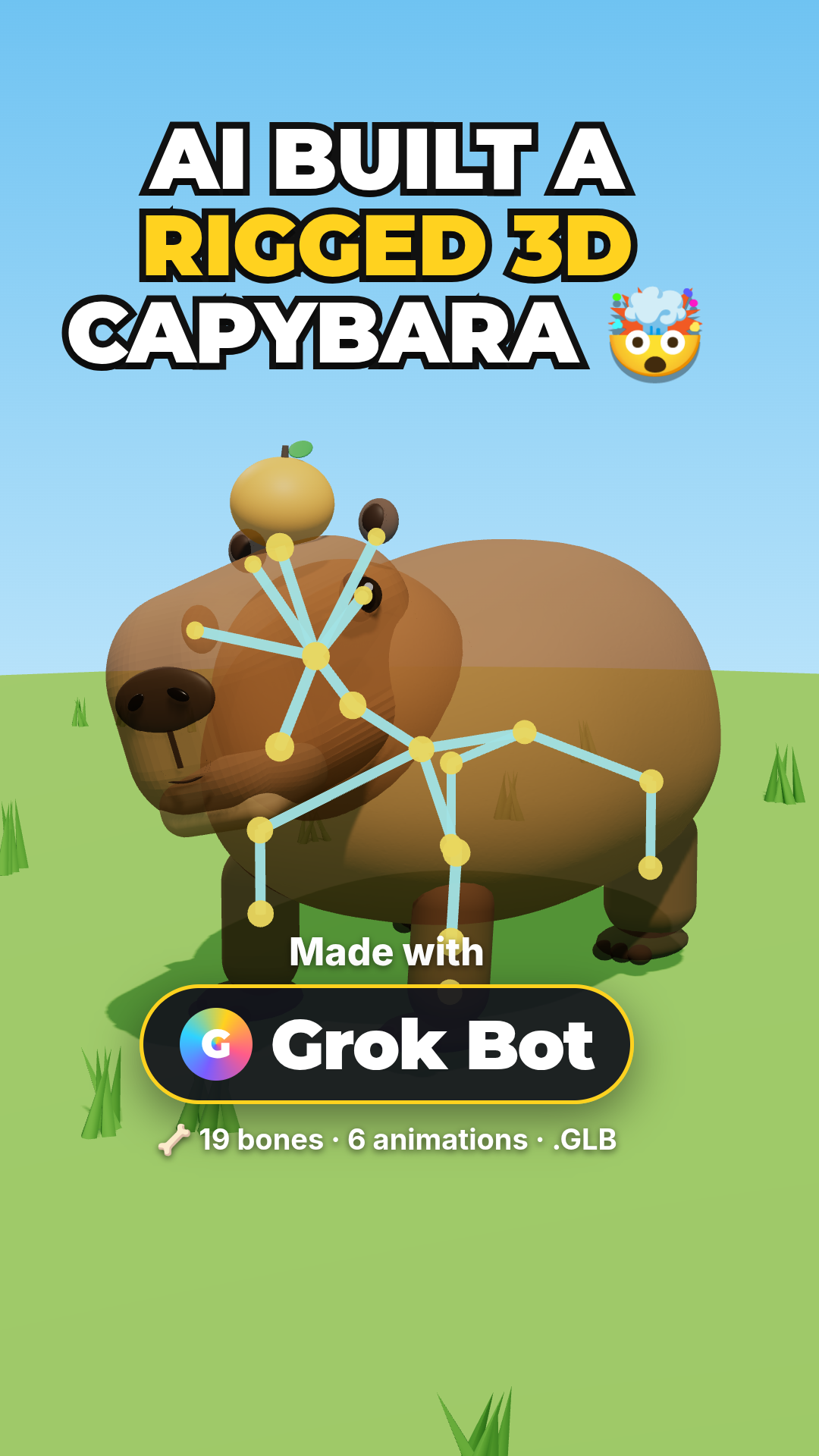
Watch Grok Bot AI build a fully rigged, animated capybara in Three.js straight from plain-English prompts — model loading, skeleton, and looping animation, all explained step by step.
WANT A RIGGED CHARACTER YOU CAN DRIVE?
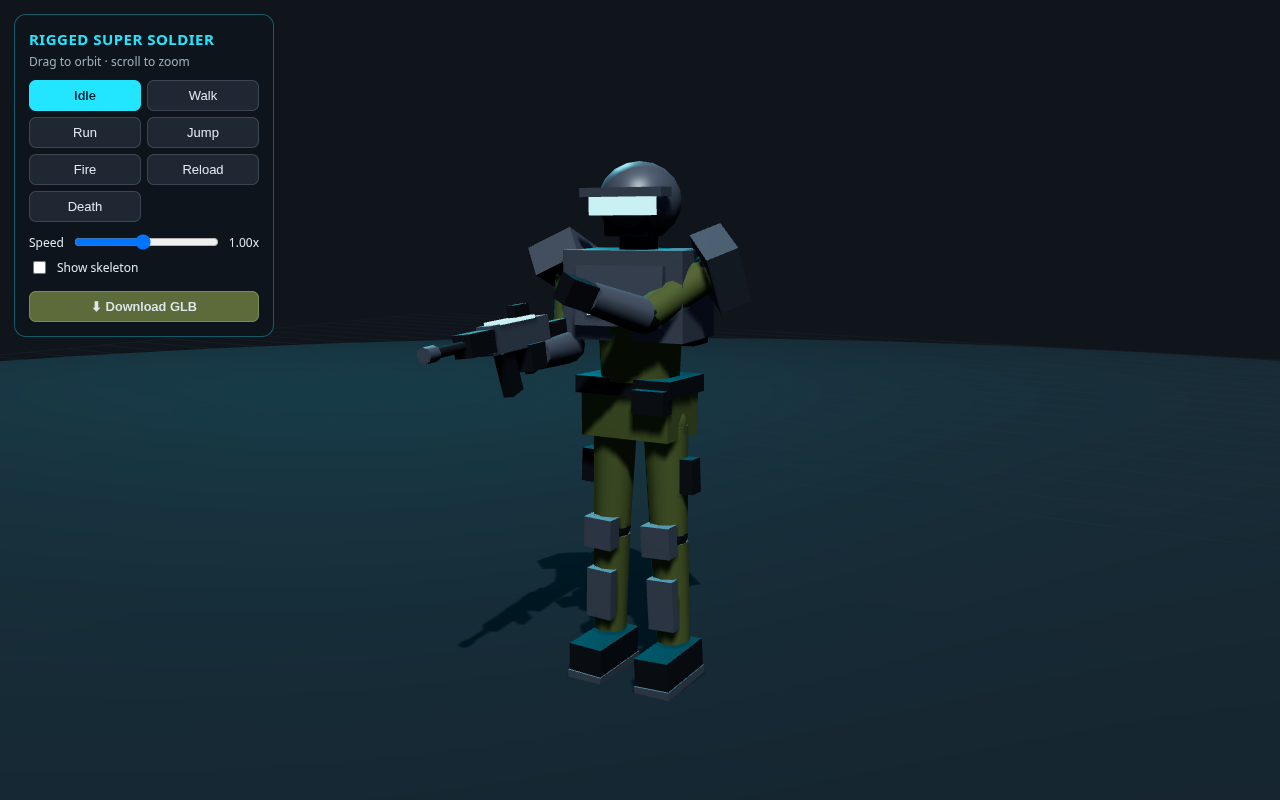
The companion tutorial loads a free rigged super soldier GLB in Three.js and gives it a full keyboard controller — WASD to move, Shift to run, Space to jump, F to fire. Same ideas, taken to a playable character.
PLAY MY FREE BROWSER GAMES
Built with Three.js and JavaScript — free, no download, plays right in your browser.