LOAD & CONTROL A RIGGED
CHARACTER IN THREE.JS
A developer walkthrough: load a free rigged GLB soldier in Three.js with GLTFLoader, play its seven animation clips with an AnimationMixer, and wire up WASD movement — Shift to run, Space to jump, F to fire. Live demo, free model, and the full copy-paste source below.
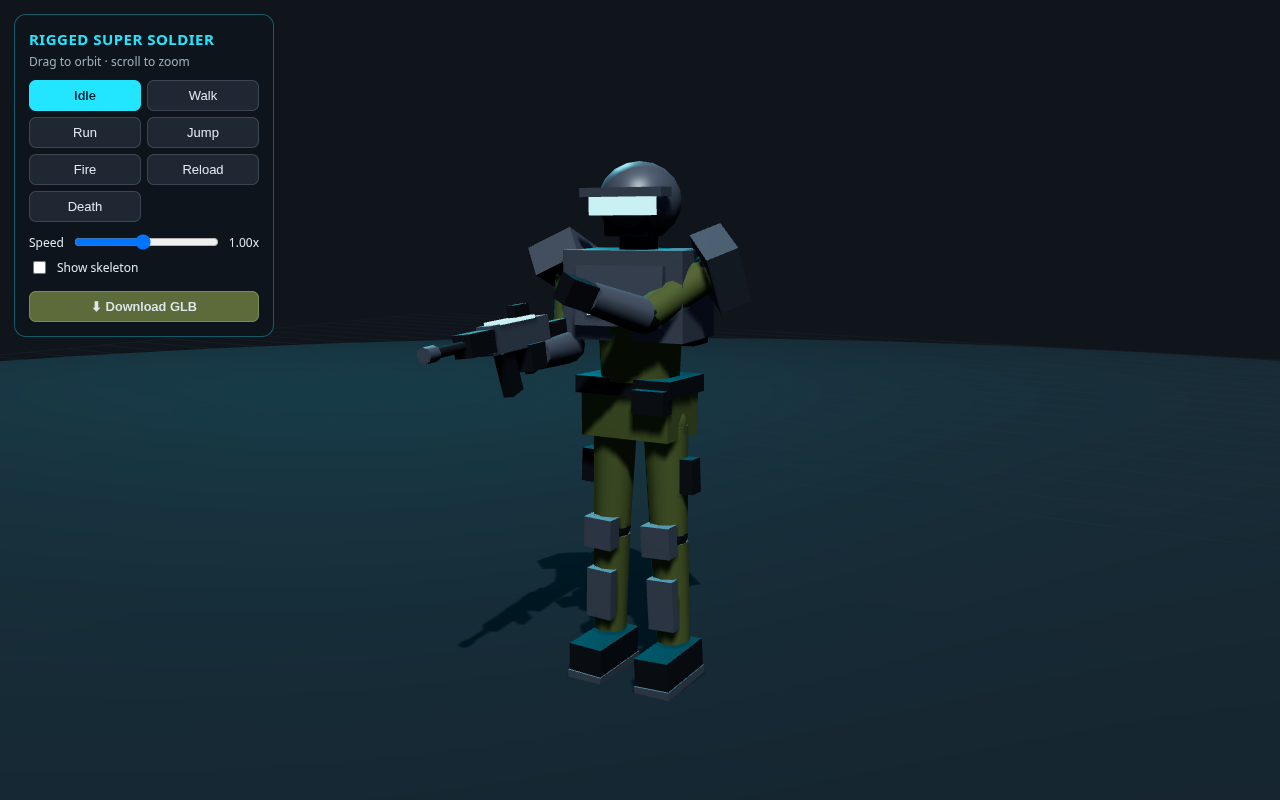
LIVE DEMO
The soldier standing behind this page is a live Three.js scene. Launch the full-screen demo and walk him around with WASD / arrow keys — hold Shift to run, Space to jump, F to fire. Drag to orbit, scroll to zoom, tap the clip buttons to preview each animation, or show the skeleton.
Questions about rigging or skinning in Three.js? Contact Me and I'll help.
What You'll Build
This tutorial focuses on two things every 3D web project needs: loading a rigged model and controlling it with the keyboard. You'll grab the free rigged soldier GLB, drop it into a Three.js scene, and give it a simple character controller.
- Load a GLB with
GLTFLoader— one call, straight from a URL, no build step. - Play its 7 clips with an
AnimationMixer— Idle, Walk, Run, Jump, Fire, Reload, Death — and crossfade between them. - WASD / arrow-key movement — camera-relative, with the character turning to face the way it's heading.
- Shift to run, Space to jump, F to fire — one-shot clips that return to idle when they finish.
- The free rigged GLB —
soldier_rigged.glb, ready for your own Three.js, Unity, Blender or Godot projects.
Controls
Launch the live demo above and try them. The same controls are implemented in the code below.
FAQ
How do you load a GLB model in Three.js?
Import GLTFLoader from three/addons/loaders/GLTFLoader.js, create a loader, and call loader.load(url, onLoad). In the callback you get a gltf object: add gltf.scene to your scene and read gltf.animations for the clips. In this tutorial the soldier GLB loads straight from a URL in a few lines.
How do you play a GLB's animations in Three.js?
Create a THREE.AnimationMixer bound to the loaded model, then make an action for each clip with mixer.clipAction(clip). Call action.play() to start one and action.crossFadeTo(next, dur) to blend. Advance it each frame with mixer.update(delta).
How do you add WASD movement to a character in Three.js?
Track pressed keys with keydown/keyup. Each frame, build a direction from the camera's forward and right vectors (flattened to the ground), scale by speed × delta, and add it to the model's position. Rotate the model to face travel, and switch to Walk/Run while moving, Idle when stopped.
How do you make the character jump or fire on a key press?
Give the Jump and Fire clips THREE.LoopOnce with clampWhenFinished, then play them on a single keydown (Space / F), ignoring auto-repeat with event.repeat. Listen for the mixer's finished event to return to Idle or resume walking.
Can I use the soldier GLB in Unity, Blender or Godot?
Yes. soldier_rigged.glb is a standard binary glTF 2.0 file with a skeleton, a skinned mesh, and seven clips (idle, walk, run, jump, fire, reload, death). It imports into Blender, Unity, Godot, Babylon.js, or any viewer that reads glTF, and you're free to use it in your own projects.
Is this rigged soldier model and tutorial free?
Yes. It's completely free. The soldier walking behind this page is a live demo, the rigged GLB is a free download, and the full Three.js loader + controls source is on the page to copy or launch in one click. No sign-in or membership required.
The Animations
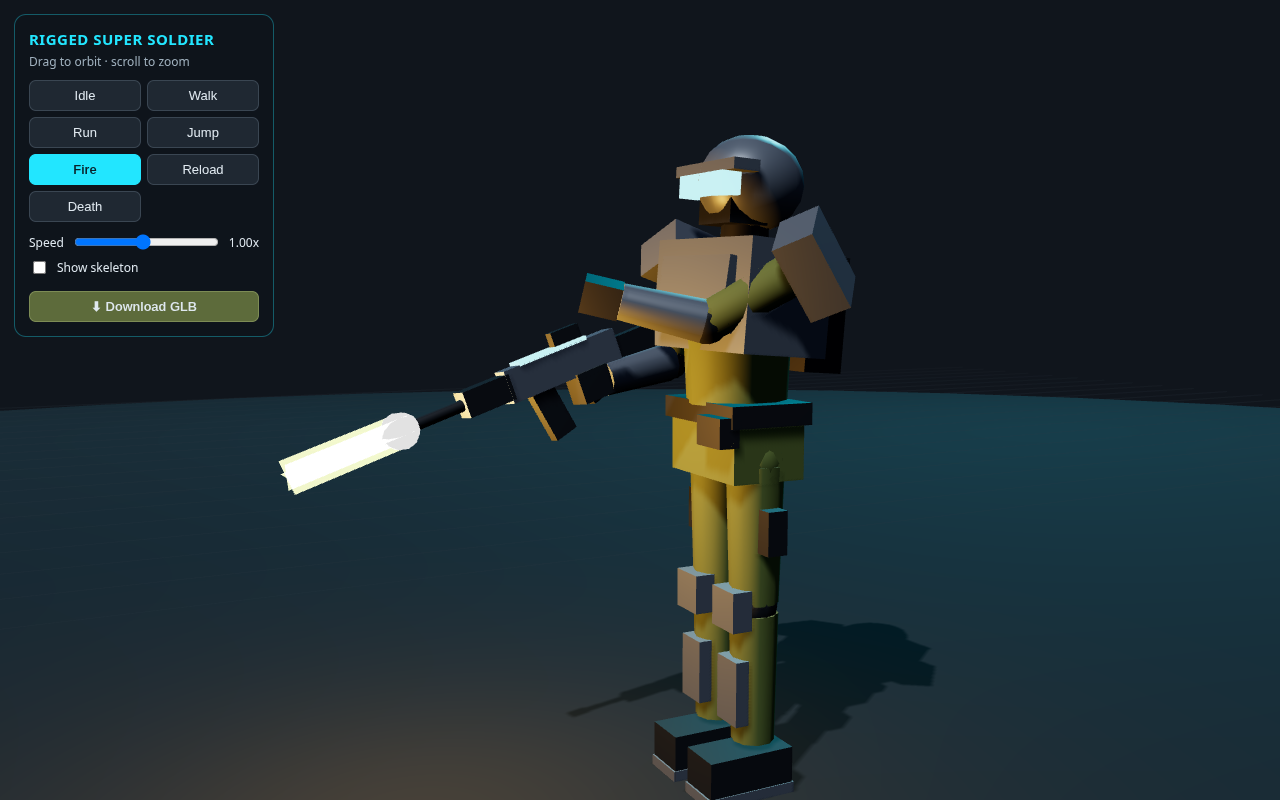
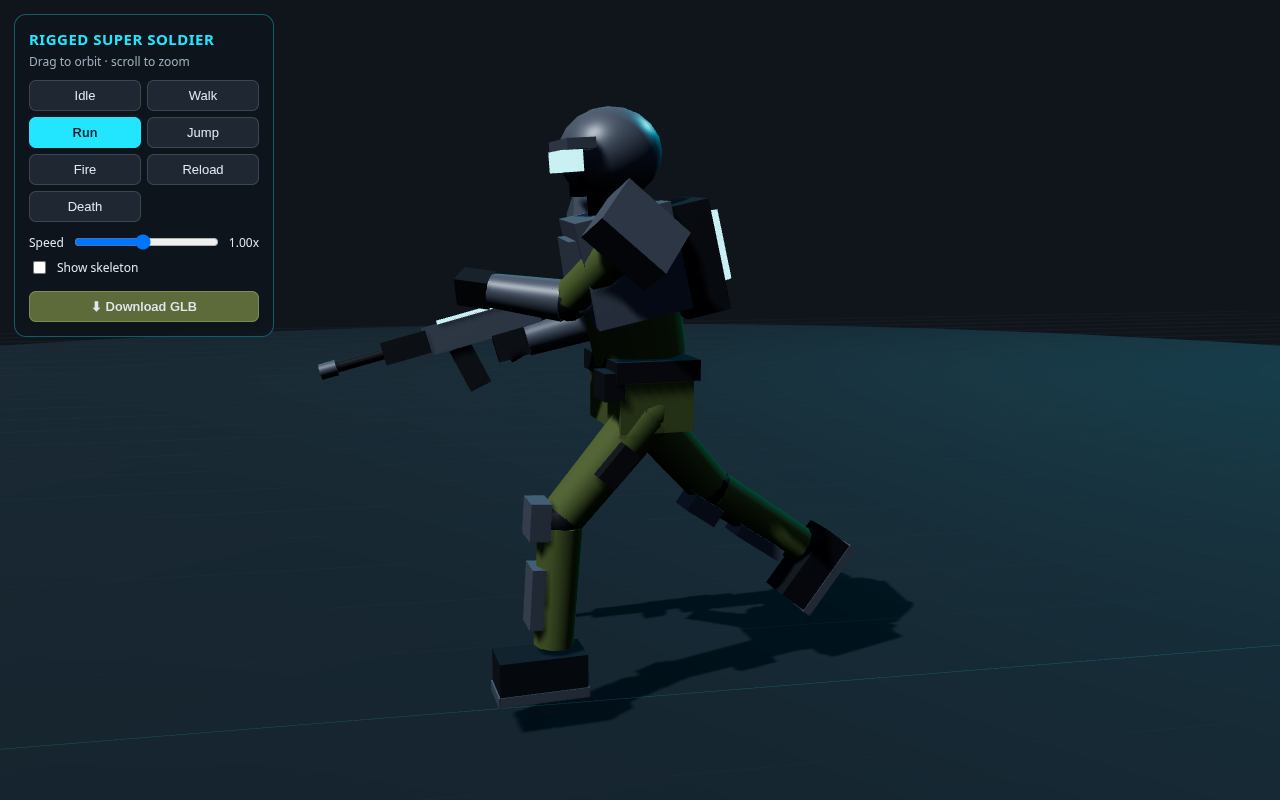
The GLB ships with seven clips. Two of them — Fire and Run — are shown below; the live demo above cycles through all of them.
How It Works
- 1Set up a scene. A renderer, a camera,
OrbitControls, a couple of lights, and a ground plane — the usual Three.js starting point. - 2Load the GLB.
GLTFLoader.load(url, onLoad)fetchessoldier_rigged.glb. In the callback you addgltf.sceneto the scene and readgltf.animationsfor the clips. - 3Wire up the mixer. Create a
THREE.AnimationMixeron the model and build an action per clip. Jump, Fire and Death are set toLoopOnce; Idle/Walk/Run loop. A tinyplay()helper crossfades between them. - 4Read the keyboard.
keydown/keyuplisteners track WASD + Shift as held state, and fire Space (jump) and F (fire) once per press (ignoring auto-repeat). - 5Move the character. Each frame, build a camera-relative direction from the pressed keys, step the model by speed × delta, clamp it to the ground, and turn it to face the way it's heading. Switch to Walk/Run while moving and Idle when stopped.
- 6Handle one-shots. Space and F play Jump/Fire once; the mixer's
finishedevent returns the character to Idle (or resumes walking if a key is still held).
The Full Code
Paste this into a file named index.html and open it in any modern browser — or hit Launch. Three.js loads from a CDN via the import map, and the soldier GLB loads straight from this site, so it runs as-is. It's a complete, minimal character controller: load the model, play its clips, and move it with WASD (Shift run, Space jump, F fire).
<!DOCTYPE html>
<html lang="en"><head><meta charset="utf-8"><meta name="viewport" content="width=device-width,initial-scale=1">
<title>Load & Control a Rigged Soldier (WASD) · Three.js</title>
<style>
html,body{margin:0;height:100%;overflow:hidden;background:#10151c;font-family:system-ui,Segoe UI,sans-serif;color:#dfe8ef}
#hud{position:fixed;left:14px;top:14px;padding:12px 14px;background:rgba(14,20,27,.82);border:1px solid #22e6ff55;border-radius:12px;font-size:13px;line-height:1.7}
#hud b{color:#22e6ff}
kbd{display:inline-block;min-width:16px;text-align:center;padding:1px 6px;background:#1f2832;border:1px solid #3a4652;border-bottom-width:2px;border-radius:5px;font:600 12px/1 ui-monospace,Menlo,Consolas,monospace;color:#dfe8ef}
#loading{position:fixed;inset:0;display:flex;align-items:center;justify-content:center;background:#10151c;color:#22e6ff;font-size:16px;letter-spacing:1px}
</style>
<script type="importmap">
{ "imports": {
"three": "https://unpkg.com/three@0.160.0/build/three.module.js",
"three/addons/": "https://unpkg.com/three@0.160.0/examples/jsm/" } }
</script></head><body>
<div id="loading">Loading soldier...</div>
<div id="hud" style="display:none">
<div><b>Move</b> <kbd>W</kbd><kbd>A</kbd><kbd>S</kbd><kbd>D</kbd> <b>Run</b> <kbd>Shift</kbd></div>
<div><b>Jump</b> <kbd>Space</kbd> <b>Fire</b> <kbd>F</kbd> <b>Orbit</b> drag</div>
</div>
<script type="module">
import * as THREE from 'three';
import { OrbitControls } from 'three/addons/controls/OrbitControls.js';
import { GLTFLoader } from 'three/addons/loaders/GLTFLoader.js';
// ---------------------------------------------------------------------------
// 1. SCENE / CAMERA / RENDERER
// ---------------------------------------------------------------------------
const renderer = new THREE.WebGLRenderer({ antialias: true });
renderer.setPixelRatio(Math.min(devicePixelRatio, 2));
renderer.setSize(innerWidth, innerHeight);
renderer.shadowMap.enabled = true;
renderer.outputColorSpace = THREE.SRGBColorSpace;
renderer.toneMapping = THREE.ACESFilmicToneMapping;
document.body.appendChild(renderer.domElement);
const scene = new THREE.Scene();
scene.background = new THREE.Color(0x10151c);
scene.fog = new THREE.Fog(0x10151c, 9, 26);
const camera = new THREE.PerspectiveCamera(45, innerWidth / innerHeight, 0.05, 100);
camera.position.set(2.6, 1.8, 4.0);
const controls = new OrbitControls(camera, renderer.domElement);
controls.target.set(0, 1, 0);
controls.enableDamping = true;
controls.maxPolarAngle = Math.PI * 0.52;
controls.update();
scene.add(new THREE.HemisphereLight(0xbfd6ff, 0x2a2f22, 0.9));
const sun = new THREE.DirectionalLight(0xffffff, 2.2);
sun.position.set(3, 6, 4); sun.castShadow = true; scene.add(sun);
const rim = new THREE.DirectionalLight(0x22e6ff, 1.4);
rim.position.set(-3, 2.5, -3); scene.add(rim);
const ground = new THREE.Mesh(new THREE.CircleGeometry(12, 48),
new THREE.MeshStandardMaterial({ color: 0x232a31, roughness: 0.95 }));
ground.rotation.x = -Math.PI / 2; ground.receiveShadow = true; scene.add(ground);
scene.add(new THREE.GridHelper(24, 48, 0x22e6ff, 0x2c3640));
// ---------------------------------------------------------------------------
// 2. LOAD THE RIGGED GLB + SET UP THE ANIMATION MIXER
// The GLB ships with 7 clips: Idle, Walk, Run, Jump, Fire, Reload, Death.
// ---------------------------------------------------------------------------
let mixer, model;
const actions = {};
let current = null, currentName = null, locked = false;
const LOCO = { Idle: 1, Walk: 1, Run: 1 };
function play(name, fade = 0.25) {
const next = actions[name];
if (!next || current === next) return;
currentName = name;
next.reset().setEffectiveWeight(1).play();
if (current) current.crossFadeTo(next, fade, false);
current = next;
}
const loader = new GLTFLoader();
loader.load('https://www.shanebrumback.com/models/soldier_rigged.glb', (gltf) => {
model = gltf.scene;
model.traverse(o => { if (o.isMesh) { o.castShadow = true; o.frustumCulled = false; } });
scene.add(model);
mixer = new THREE.AnimationMixer(model);
for (const clip of gltf.animations) {
const a = mixer.clipAction(clip);
// Jump / Fire / Death play once; the rest loop.
if (/Jump|Fire|Death/.test(clip.name)) { a.setLoop(THREE.LoopOnce); a.clampWhenFinished = true; }
actions[clip.name] = a;
}
// When a one-shot finishes, return to Idle (or keep walking if a key is held).
mixer.addEventListener('finished', () => {
locked = false;
if (currentName === 'Death') return;
const moving = keys.fwd || keys.back || keys.left || keys.right;
play(moving ? (keys.run ? 'Run' : 'Walk') : 'Idle');
});
play('Idle', 0);
document.getElementById('loading').style.display = 'none';
document.getElementById('hud').style.display = 'block';
}, undefined, (err) => {
document.getElementById('loading').textContent = 'Failed to load model';
console.error(err);
});
// ---------------------------------------------------------------------------
// 3. KEYBOARD CONTROLS — WASD / arrows move, Shift runs, Space jumps, F fires
// ---------------------------------------------------------------------------
const keys = { fwd: false, back: false, left: false, right: false, run: false };
function setKey(code, down) {
switch (code) {
case 'KeyW': case 'ArrowUp': keys.fwd = down; return true;
case 'KeyS': case 'ArrowDown': keys.back = down; return true;
case 'KeyA': case 'ArrowLeft': keys.left = down; return true;
case 'KeyD': case 'ArrowRight': keys.right = down; return true;
case 'ShiftLeft': case 'ShiftRight': keys.run = down; return true;
}
return false;
}
function oneShot(name) { if (actions[name]) { locked = true; play(name, 0.08); } }
addEventListener('keydown', (e) => {
if (setKey(e.code, true)) { e.preventDefault(); return; }
if (e.repeat) return;
if (e.code === 'Space') { e.preventDefault(); oneShot('Jump'); }
if (e.code === 'KeyF') { e.preventDefault(); oneShot('Fire'); }
});
addEventListener('keyup', (e) => { if (setKey(e.code, false)) e.preventDefault(); });
// ---------------------------------------------------------------------------
// 4. MOVEMENT — camera-relative, faces travel direction, clamped to ground
// ---------------------------------------------------------------------------
const SPEED = { walk: 1.6, run: 3.4, radius: 10.5 };
const fwd = new THREE.Vector3(), right = new THREE.Vector3(), dir = new THREE.Vector3(), tmp = new THREE.Vector3();
function updateMovement(dt) {
if (!model) return;
const kx = (keys.right ? 1 : 0) - (keys.left ? 1 : 0);
const kz = (keys.fwd ? 1 : 0) - (keys.back ? 1 : 0);
const moving = kx !== 0 || kz !== 0;
if (moving) {
camera.getWorldDirection(fwd); fwd.y = 0; fwd.normalize();
right.crossVectors(fwd, camera.up).normalize();
dir.set(0, 0, 0).addScaledVector(fwd, kz).addScaledVector(right, kx).normalize();
const speed = keys.run ? SPEED.run : SPEED.walk;
model.position.addScaledVector(dir, speed * dt);
const r = Math.hypot(model.position.x, model.position.z);
if (r > SPEED.radius) { model.position.x *= SPEED.radius / r; model.position.z *= SPEED.radius / r; }
// smoothly face the direction of travel (model faces +Z)
const yaw = Math.atan2(dir.x, dir.z);
let d = yaw - model.rotation.y; while (d > Math.PI) d -= 2 * Math.PI; while (d < -Math.PI) d += 2 * Math.PI;
model.rotation.y += d * Math.min(1, dt * 10);
controls.target.lerp(tmp.set(model.position.x, 1, model.position.z), Math.min(1, dt * 6));
// play the right locomotion clip (don't interrupt a one-shot Jump/Fire)
if (!locked) { const want = keys.run ? 'Run' : 'Walk'; if (LOCO[currentName] && currentName !== want) play(want, 0.15); }
} else if (!locked && LOCO[currentName] && currentName !== 'Idle') {
play('Idle');
}
}
// ---------------------------------------------------------------------------
// 5. RENDER LOOP
// ---------------------------------------------------------------------------
addEventListener('resize', () => {
camera.aspect = innerWidth / innerHeight; camera.updateProjectionMatrix();
renderer.setSize(innerWidth, innerHeight);
});
const clock = new THREE.Clock();
renderer.setAnimationLoop(() => {
const dt = Math.min(clock.getDelta(), 0.05);
updateMovement(dt);
if (mixer) mixer.update(dt);
controls.update();
renderer.render(scene, camera);
});
</script>
</body></html>
More Tutorials
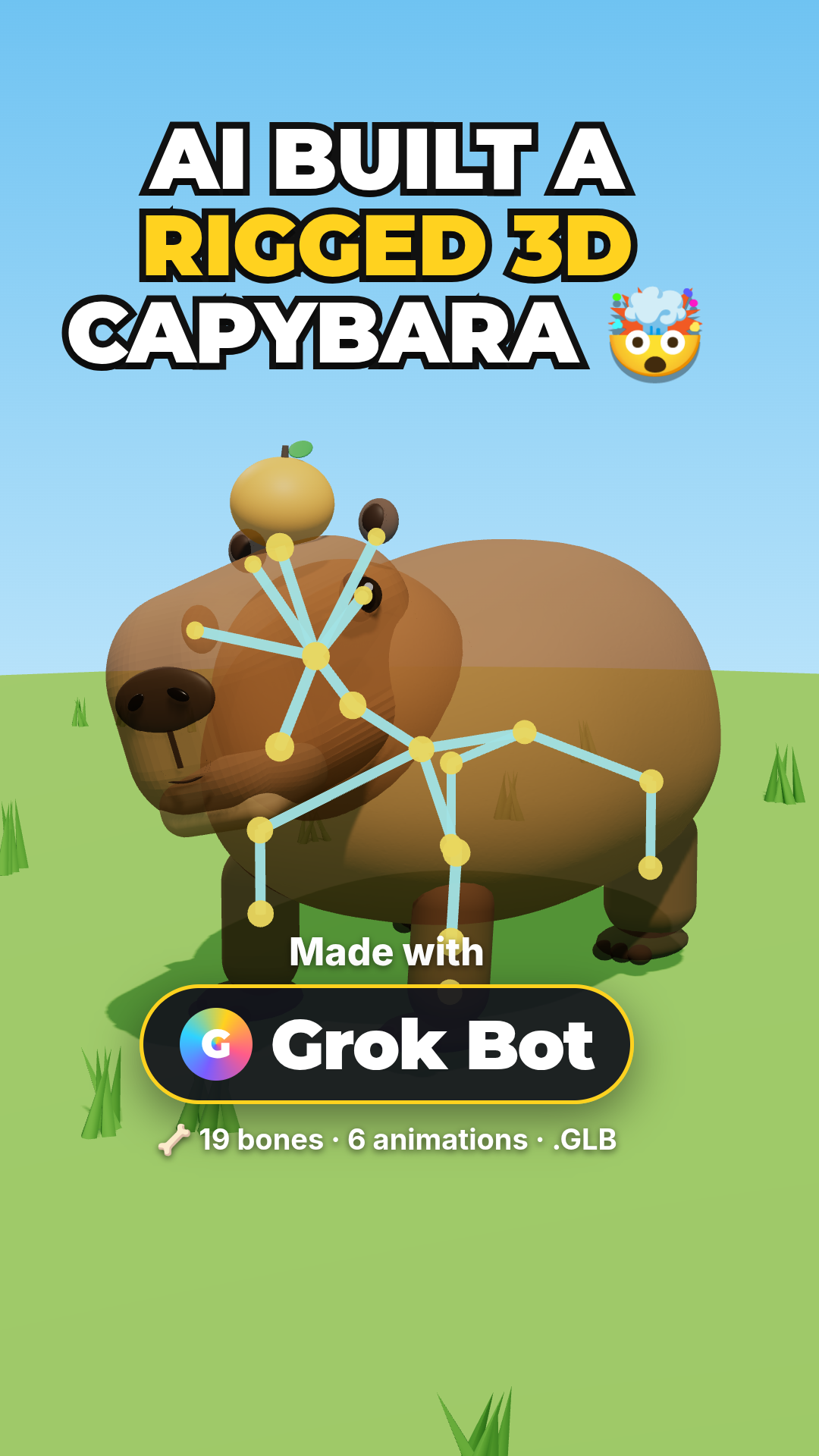
Rigged Capybara with Grok Bot
The same SkinnedMesh + GLB export approach, built the no-code way with Grok Bot AI.
Load & Animate a GLB Model
Load an external rigged GLB and drive its animation clips with an AnimationMixer.

Browse All Tutorials
Dozens of free Three.js and WebGL walkthroughs with live demos.