Procedural Terrain in Three.js · Part 1 of 3
THREE.JS PROCEDURAL TERRAIN, PART 1:
INFINITE CHUNK STREAMING
Endless ground that builds itself around the player and cleans up behind them. Part 1 covers chunk streaming and a character that walks the hills, and why I'm building this for Super Soldier Battle.
By Shane Brumback ·
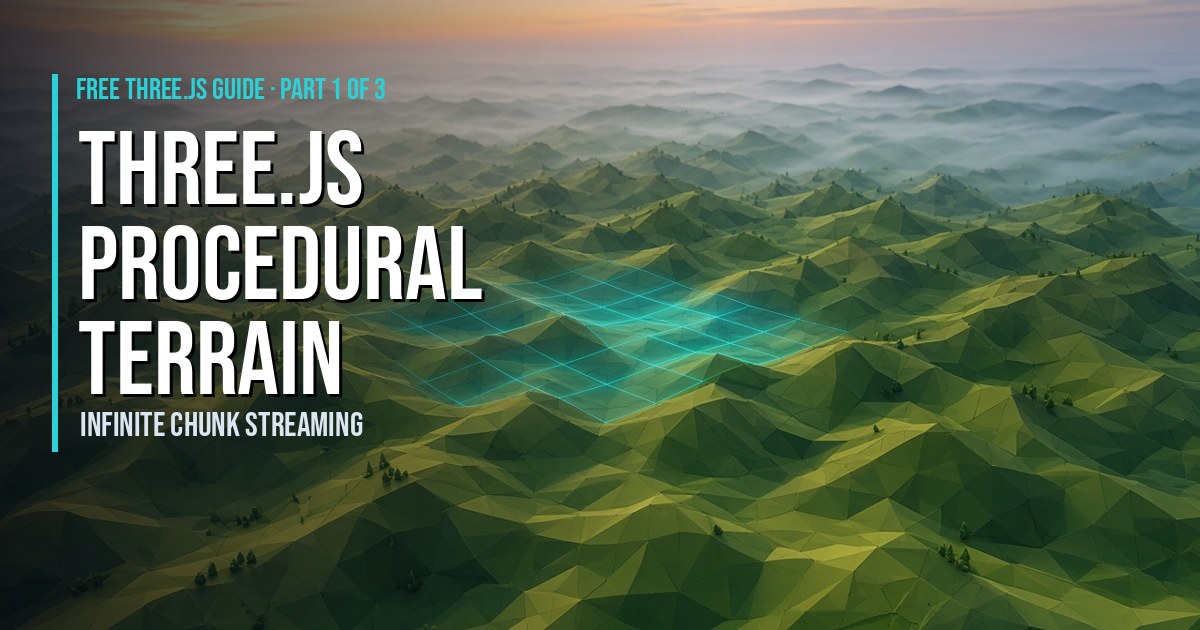
Three.js procedural terrain is ground made by code instead of modeled by hand. A height function turns any point (x, z) into a height, and because that works for any coordinate, the world never has to end. This is Part 1 of my three-part series Procedural Terrain in Three.js, and it covers the piece everything else sits on: streaming terrain chunks in and out around the player so the ground goes on forever. I'm building it for my browser shooter Super Soldier Battle, and I'll show you exactly where the game is today and where this is headed.
What Is Procedural Terrain in Three.js?
Procedural terrain is a mesh whose shape comes from a formula. In Three.js the usual recipe is:
- Make a flat
PlaneGeometrywith a grid of vertices. - Lay it flat and, for every vertex, set its height from a function,
heightAt(x, z). - Recompute the normals so the light falls on the hills correctly.
The height function is usually built from noise, which returns smooth random values, so you get rolling hills instead of spikes. The key detail is that the function uses world coordinates. A vertex at (500, -320) gets the same height no matter which mesh it belongs to or when it was built. That one rule is what makes infinite terrain possible.
How Does Infinite Terrain Work in Three.js?
You can't build an infinite mesh, but you don't need to. The player only ever sees a few hundred meters around them. So you split the world into square chunks and keep only the nearby ones:
- A grid of chunks. Every chunk has integer coordinates,
cx = Math.floor(x / CHUNK_SIZE)and the same for z. - A Map keyed by coordinates. Store each chunk under a string key like
"3,-2", so "is this chunk loaded?" is one lookup. - A load radius. When the player crosses into a new chunk, queue every missing chunk inside the radius, nearest first.
- An unload radius. Remove chunks outside a slightly bigger circle. The gap between the two stops chunks flickering in and out when you walk back and forth over a border.
- Fog. End the fog just inside the load radius and nobody ever sees the edge of the world.
Here's the core idea in a few lines:
const key = (cx, cz) => cx + ',' + cz;
            const pcx = Math.floor(player.x / CHUNK_SIZE);
            const pcz = Math.floor(player.z / CHUNK_SIZE);
            // load everything inside the radius that isn't in the Map yet...
            // ...and remove what's outside a slightly larger radius
Three.js Terrain Chunks: Dispose or Reuse?
Removing a mesh from the scene does not free its GPU buffers. You have two good options, and I use both:
| When a chunk unloads | What to do | Why |
|---|---|---|
| A small spare pool isn't full | Keep the geometry and reuse it for the next chunk | No new allocation; only the heights change |
| The pool is full | Call geometry.dispose() | Frees the GPU memory |
| Always | Share one material and never dispose it | Every chunk uses the same material |
Reuse works because every chunk has the same grid. Only the heights change.
How the Character Walks the Hills
The paired tutorial adds a simple capsule character with WASD to move and Space to jump, real gravity, and a follow camera. The trick that keeps its feet planted is sampling the ground height under the character every frame. Because the terrain comes from a function, you don't need a raycast. You can ask the same math the mesh was built from, and the tutorial matches the exact triangles so the character never floats or sinks.
New to game input? Start with keyboard inputs for Three.js games.
The Same Idea as My Endless Grass
If you've seen my endless procedural grass field, where the rigged capybara wanders through grass that never runs out, you've already seen this idea. The grass doesn't really go on forever. It keeps a fixed set of blades centered on the player and moves the ones that fall behind out in front, and fog hides the rim.
Terrain chunks do the same thing at a bigger scale. Instead of recentering single blades, you recenter whole tiles of ground around the player. There's one extra rule: terrain has to come back exactly the same when you return, so the heights come from a seeded function rather than random offsets. In Part 3, I'll put that grass on this terrain.
How Super Soldier Battle's Terrain Works Today
I want to be straight about this: Super Soldier Battle doesn't have infinite terrain yet. Here's what the game's code does right now:
- A fixed, hand-built island. The ground is one pre-made terrain model, split into 16 visible pieces that share one material. Pieces outside the camera's view aren't drawn.
- A separate invisible collision mesh. Walking and shooting use a second, invisible copy of the ground with a BVH (a speed-up structure for raycasts). To find the ground height, the game casts a ray straight down onto it.
- A boundary. The island is roughly 2,700 meters across, and the player is clamped to about ±1,350 on each axis so you can walk the full shoreline but not swim off the map.
So the game already splits and culls its ground and has fast height lookups. What it doesn't do is generate terrain at runtime, so the map has a fixed size.
What Chunk Streaming Could Do for Super Soldier Battle
Bringing procedural, endless terrain to Super Soldier Battle is the next big feature I'm planning. It isn't live yet. Here's what chunk streaming could open up:
- Bigger battles without bigger downloads. Ground built on the fly doesn't have to ship as a large model file.
- Fresh maps from a seed. One number could describe a whole battlefield, and every player would generate the same hills locally (Part 2 covers this).
- Room to roam. Fights could spill over the next ridge instead of stopping at the water.
Meanwhile, the fixed island is live and free to play at supersoldierbattle.com.
Want the Code? The Part 1 Tutorial
The premium tutorial Three.js Procedural Terrain Tutorial: Infinite Chunks + WASD Jump is one complete, copy-paste file. It has seeded noise with no library, the chunk Map, load and unload radii, a build budget so frames don't hitch, geometry pooling, and the WASD and jump character with a follow camera. It's organized around a single heightAt(x, z) function so Part 2 can swap in better terrain without touching anything else.
If you'd rather not code it, my article on no-code endless terrain in STEM Studio shows a ready-made terrain object.
Coming Next in the Series
- Part 2 (Oct 25): noise and terrain shaping. fBm, ridged noise and domain warping, valleys and flat combat areas, and seeds for multiplayer.
- Part 3 (Oct 26): LOD, performance and texturing. Faster distant chunks, and the endless grass on top of the terrain.
Frequently Asked Questions
What is procedural terrain in Three.js?
Procedural terrain is ground that code generates instead of an artist modeling it. In Three.js you usually start with a flat PlaneGeometry and set each vertex's height from a function like heightAt(x, z), often built from noise. Because the function works for any coordinate, you can generate as much ground as you need, in any direction.
How do you make infinite terrain in Three.js?
You split the world into square chunks and only keep the ones near the player. Each chunk is keyed by its grid coordinates, like "3,-2", in a Map. When the player crosses into a new chunk, you build the missing chunks inside a load radius and remove the ones outside a slightly larger unload radius, reusing or disposing their geometry.
Why does infinite terrain need a seed?
A seed makes the noise deterministic, so the same (x, z) always returns the same height. That matters twice: a chunk you unload and rebuild later comes back identical, and in a multiplayer game every player generates the same hills without sending the terrain over the network. Part 2 of this series covers seeds for multiplayer.
How big should terrain chunks be in Three.js?
Small enough to build in a few milliseconds and large enough that you aren't juggling hundreds of meshes. A 64 by 64 unit chunk with 32 by 32 quads, which is about 2,000 triangles, is a good start. Tune the load radius and fog distance together so chunk edges are always hidden in the fog.
Does Super Soldier Battle use infinite terrain?
Not yet. Super Soldier Battle is played on a fixed, hand-built island. The ground loads as one model split into 16 visible pieces plus an invisible collision mesh, and a boundary keeps players on the island. Procedural, endless terrain is the next planned feature, and this series is the groundwork for it.
Play the Game While the Terrain Grows
Play Super Soldier Battle free in your browser. There's nothing to download or install. Run the shoreline, find the edge of today's island, and picture it never ending. That's where this series is going.
Building a Three.js game or 3D site and want help with terrain, performance or gameplay? I'm available for freelance and contract work: contact me.
Play Super Soldier Battle free →