THREE.JS SMOKE EFFECT: SOFT SMOKE PLUMES AND
GROUND MIST THAT DON'T KILL YOUR FPS
Smoke is mostly about soft edges, slow motion and not drawing too many big transparent quads. Here are two small patterns I use: a rising smoke plume and a one-draw-call ground mist.
By Shane Brumback ·
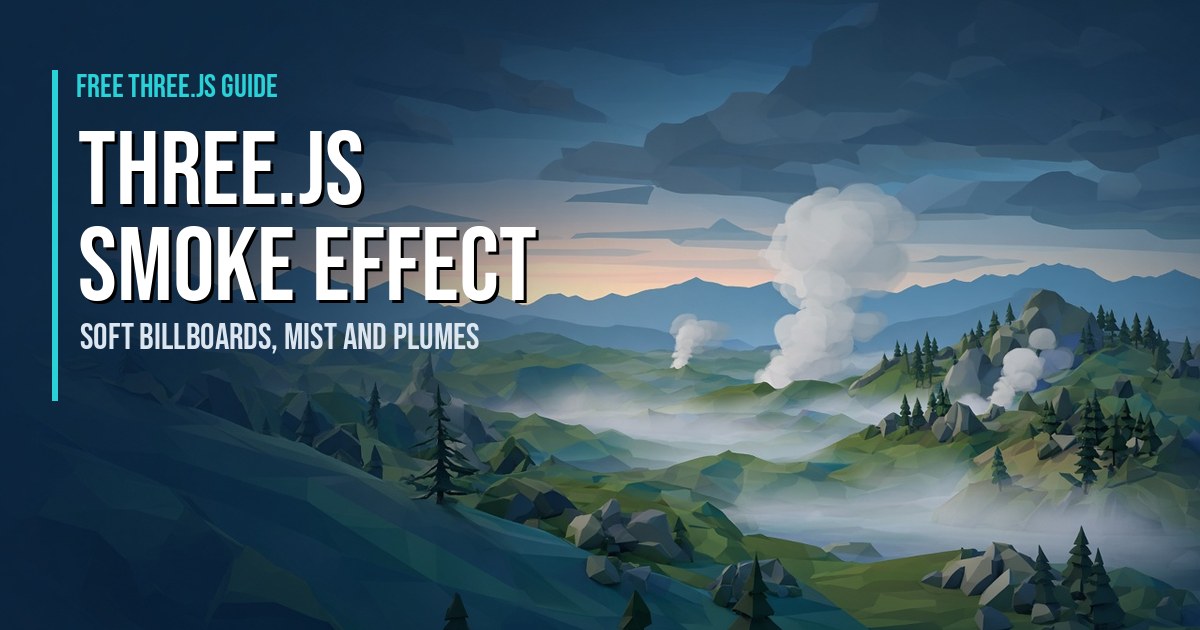
If you searched for a Three.js smoke effect, you probably want something that looks soft and drifts like real smoke, not a cloud of hard white squares. I've built smoke and mist for my browser shooter Super Soldier Battle, and the biggest lesson is that good smoke is cheap to code but easy to make expensive to draw. This article is free to read, and the snippets below are small enough to paste into any scene.
Three.js version: the snippets use only THREE.Sprite, THREE.CanvasTexture, THREE.InstancedMesh and THREE.ShaderMaterial, so they work on r128 (what my site and game load) and on newer releases.
What Makes Smoke Look Like Smoke?
Smoke reads as smoke when four things are true:
- Soft edges. Each puff is a blurry radial gradient, never a hard shape.
- Growth and fade. Puffs start small and fairly opaque, then get bigger and fade out as they rise.
- Slow, uneven motion. A little sideways drift (wind) and a slow spin hide the fact that it's all flat images.
- Normal blending, not additive. Additive blending makes things glow. Smoke should darken or grey out what's behind it, so use normal alpha blending with
depthWrite: false.
Three.js Smoke Particles: A Simple Rising Plume
This is the beginner version: a pool of sprites, a procedural puff texture (no image file), and a tiny update loop on the CPU. It's perfect for a chimney, a crashed vehicle or a smoking crater.
// Procedural soft puff: a radial gradient on a small canvas
function makePuffTexture() {
  const c = document.createElement('canvas'); c.width = c.height = 64;
  const g = c.getContext('2d');
  const grd = g.createRadialGradient(32, 32, 2, 32, 32, 32);
  grd.addColorStop(0, 'rgba(255,255,255,0.9)');
  grd.addColorStop(0.5, 'rgba(255,255,255,0.35)');
  grd.addColorStop(1, 'rgba(255,255,255,0)');
  g.fillStyle = grd; g.fillRect(0, 0, 64, 64);
  return new THREE.CanvasTexture(c);
}

function createSmokePlume(scene, origin, count = 24) {
  const tex = makePuffTexture();
  const puffs = [];
  for (let i = 0; i < count; i++) {
    const mat = new THREE.SpriteMaterial({ map: tex, color: 0x9a9a9a,
      transparent: true, depthWrite: false, opacity: 0 });
    const s = new THREE.Sprite(mat);
    s.userData.age = Math.random() * 4;           // stagger so it never "pulses"
    scene.add(s); puffs.push(s);
  }
  const wind = new THREE.Vector3(0.35, 0, 0.1);
  return function update(dt) {
    for (const s of puffs) {
      s.userData.age += dt;
      const life = 4, t = (s.userData.age % life) / life;   // 0..1
      s.position.set(origin.x, origin.y + t * 6, origin.z)
        .addScaledVector(wind, t * t * 6);                    // drift more as it rises
      s.scale.setScalar(0.8 + t * 3.5);                       // grow
      s.material.opacity = Math.sin(t * Math.PI) * 0.45;      // fade in, then out
      s.material.rotation += dt * 0.2;                        // slow spin
    }
  };
}
// const updateSmoke = createSmokePlume(scene, new THREE.Vector3(0, 0, 0));
// in your loop: updateSmoke(clock.getDelta());
Each sprite is its own draw call, so this is fine for a few plumes. If you need dozens, that's the point where you move the same math into one THREE.Points or InstancedMesh, which my simple particle system tutorial is a good warm-up for.
Tuning tips: darker color (0x444444) gives burning-oil smoke, lighter (0xdddddd) gives steam. Raise the wind and the t * t curve bends the plume sideways like a breezy day. Keep the peak opacity under about 0.5; overlapping puffs add up fast.
Three.js Fog and Mist: Ground Mist in One Draw Call
Scene fog (scene.fog) tints everything by distance, but it can't make mist pool in valleys. For that, Super Soldier Battle uses a separate module, ssb-ground-mist.js, that I added in the same update as the game's new horizon haze. Its header describes it as "soft low ground-mist patches on the land, favouring valleys/low ground. ONE draw call (InstancedMesh)." Here's how it works, in plain terms:
- It picks spots with a seeded random, so the same patches appear every load.
- For each patch it samples five candidate points and keeps the lowest one on dry land, which is a cheap way to bias mist into valleys.
- All patches are one
InstancedMeshof a plane, so 90 patches (the default) still cost one draw call. - The vertex shader makes each plane a cylindrical billboard: it turns to face the camera but stays upright, so it hugs the ground instead of tilting at you.
- Each patch fades out when the camera gets within about 15 meters, so mist never blocks a firefight, and it also fades out far away.
Here's a minimal version of that idea you can try. It's my own simplified rewrite, not the game file (the premium tutorial walks through the real one):
function createGroundMist(scene, heightAt, count = 60, area = 400) {
  const geo = new THREE.PlaneGeometry(1, 1).translate(0, 0.5, 0);
  const mat = new THREE.ShaderMaterial({
    transparent: true, depthWrite: false,
    uniforms: { uNear: { value: 12 } },
    vertexShader: `
      uniform float uNear; varying vec2 vUv; varying float vA;
      void main() {
        vUv = uv;
        vec3 c = (instanceMatrix * vec4(0.0, 0.0, 0.0, 1.0)).xyz;
        float w = length(instanceMatrix[0].xyz), h = length(instanceMatrix[1].xyz);
        vec3 right = vec3(viewMatrix[0][0], viewMatrix[1][0], viewMatrix[2][0]);
        vec3 p = c + right * position.x * w + vec3(0.0, position.y * h, 0.0);
        vA = smoothstep(uNear, uNear + 30.0, distance(cameraPosition, c));
        gl_Position = projectionMatrix * viewMatrix * vec4(p, 1.0);
      }`,
    fragmentShader: `
      varying vec2 vUv; varying float vA;
      void main() {
        float a = (1.0 - abs(vUv.x * 2.0 - 1.0)) * sin(vUv.y * 3.14159) * 0.35 * vA;
        if (a < 0.004) discard;
        gl_FragColor = vec4(0.85, 0.88, 0.92, a);
      }`
  });
  const mesh = new THREE.InstancedMesh(geo, mat, count);
  const m = new THREE.Matrix4();
  for (let i = 0; i < count; i++) {
    let best = null;
    for (let k = 0; k < 5; k++) {                 // keep the lowest of 5 = valley bias
      const x = (Math.random() - 0.5) * area, z = (Math.random() - 0.5) * area;
      const y = heightAt(x, z);
      if (!best || y < best.y) best = { x, y, z };
    }
    const size = 20 + Math.random() * 40;
    m.compose(new THREE.Vector3(best.x, best.y, best.z), new THREE.Quaternion(),
              new THREE.Vector3(size, size * 0.22, 1));
    mesh.setMatrixAt(i, m);
  }
  mesh.frustumCulled = false;                     // shader moves vertices, so skip CPU culling
  scene.add(mesh);
  return mesh;
}
Note the discard for nearly invisible pixels. It doesn't make the quad smaller, but it skips work on the fully clear corners.
How Smoke and Mist Play in Super Soldier Battle
In the game, smoke isn't decoration you stare at. It's part of reading the battlefield. The crashed gunship wrecks trail smoke, so you can spot them from across the island. Low mist settles in the valleys and takes its color from the horizon haze, which gives distant hills depth. The mist fades out once you get within about 15 meters, so it never hides an enemy right in front of you. If you're on a slower machine, the F1 overlay lets you turn smoke off.
Want the full breakdown of the game's real mist module, step by step? That's in the premium tutorial Ground Mist and Smoke in One Draw Call: How Super Soldier Battle Does It.
Performance: Smoke Is a Fill-Rate Problem
Draw calls get all the attention, but smoke usually hurts because of overdraw: big transparent quads stacked on top of each other, each one shading every pixel it covers. A single puff that fills the screen when you walk into it can cost more than a hundred small ones.
What I do in Super Soldier Battle:
- Trim big smoke sprites first. In the Oct 22 dev log I cut back the smoke on the ruins and crashed gunship wrecks because big soft smoke sprites were the most expensive part on the GPU.
- Fade near the camera. Both the mist and the plume ideas above should fade out up close, which removes the worst full-screen overdraw.
- Give players a switch. Press F1 in the game for the renderer-stats overlay; it has a smoke toggle next to the grass, tree LOD and water toggles, so you can compare FPS with and without it.
- Batch it. One
InstancedMeshfor the mist means adding patches costs pixels, not draw calls.
When To Use Which
| Need | Use | Why |
|---|---|---|
| A few plumes (chimney, wreck) | Sprites + CPU loop | Easiest to write and tune |
| Hundreds of puffs | Points or InstancedMesh + shader | One draw call |
| Mist in valleys | Instanced cylindrical billboards | Upright, ground-hugging, cheap |
| Overall haze | scene.fog | Free, no extra geometry |
Frequently Asked Questions
How do I make a smoke effect in Three.js?
Use soft, semi-transparent sprites that grow, rise and fade over a few seconds. Generate a radial-gradient texture with a canvas, use normal blending with depthWrite: false, and add slow drift and spin so the flat images don't look flat.
Should Three.js smoke use additive blending?
No, smoke should use normal alpha blending. Additive blending brightens what's behind it, which is right for glows and sparks but makes smoke look like light.
Why does my Three.js smoke make the game lag?
Usually it's overdraw, not draw calls. Large transparent quads that overlap or fill the screen make the GPU shade the same pixels many times. Use fewer, smaller puffs, fade them near the camera and discard nearly clear pixels.
What is the difference between scene fog and ground mist?
Scene fog tints everything by distance from the camera. Ground mist is actual geometry, like soft billboards placed in low areas, so it can sit in valleys and move, which fog can't do.
Does Super Soldier Battle use this technique?
Yes. Its ground mist is one InstancedMesh of upright, camera-facing soft billboards placed in low ground, fading out within about 15 meters of the camera. The F1 overlay also has a smoke toggle.
See It in a Real Game
The easiest way to judge smoke and mist is to move through it. Play Super Soldier Battle free in your browser, drop into a valley at dusk, and press F1 to flip the smoke off and on. No download, no install.
Play Super Soldier Battle free →Building a Three.js game or 3D site and want help with effects or performance? I'm available for freelance and contract work: contact me. Or read the ground mist tutorial.