Premium · Cloth Series Part 1 of 3
Three.js Cloth Simulation Part 1:
Hang a Verlet Cloth Sheet
By Shane Brumback · · Intermediate Three.js tutorial · Cloth Series Part 1 · about 25 minutes
Your first cloth: 640 particles, 2,406 threads and gravity. A sheet tied along its top edge swings down from a bar and settles, drawn as dots and threads so you can watch the physics work. No physics engine.
SEE IT LIVE
The dots and threads behind this page are the finished Part 1 running live. Every 7 seconds the sheet is laid out flat and drops again. Launch the full-screen demo to orbit around it with your mouse or a finger.
Free with Google sign-in. Mouse-drag or one finger orbits, scroll or pinch zooms. Space or R drops it again, Esc exits.
What Is a Three.js Cloth Simulation? (Quick Definition)
A three.js cloth simulation is a grid of particles moved by your own physics code and drawn by three.js. Each particle keeps its current and previous position (Verlet integration), and neighbours are held at a fixed distance by distance constraints that you relax several times per step. Pin one edge, add gravity, and the grid hangs and swings like fabric.
Introduction
In Part 1 of this three-part series I build the simplest cloth that still behaves like cloth: a 32 by 20 grid of particles tied together with threads, pinned along its top edge to a metal bar, and pulled down by gravity. It starts lying flat, sticking straight out from the bar, then swings down, overshoots and settles, which shows you every part of the solver at work.
The cloth is drawn as dots and threads on purpose. You see each particle and each straight thread, and the pinned top row is gold, so nothing is hidden behind a texture. Part 2 swaps that view for a shaded flag on a pole in the wind, and Part 3 makes the flag tearable. Everything is plain JavaScript you can read; three.js only draws it.
What You'll Learn
- How Verlet integration moves a particle using only its current and previous position
- How to store 640 particles in flat Float32Arrays that the renderer can read directly
- How distance constraints (straight threads plus diagonal braces) turn a grid of points into cloth
- How pinning a row of particles ties the cloth to a bar
- How to draw the simulation with THREE.Points and THREE.LineSegments that share one position buffer
- How a fixed-timestep loop keeps the physics the same at any frame rate
Prerequisites
- Basic Three.js: scene, camera, renderer and a mesh
- Comfortable with ES modules and an importmap (no build step needed)
- Helpful first: the free Three.js Cloth Simulation article, which explains the ideas without code
Facts
- The sheet is 640 particles (32 by 20) joined by 2,406 distance constraints: 1,228 straight threads plus two diagonal braces per square.
- Physics runs at a fixed 60 steps per second with 14 constraint passes per step and 0.985 velocity damping.
- The only force in Part 1 is gravity (-9.8 metres per second squared); the top row of 32 particles is pinned to the bar.
- The cloth is drawn with THREE.Points and THREE.LineSegments that read the same Float32Array the physics writes to.
- No physics engine is used. The example is one HTML file, about 250 lines of JavaScript, using three.js r160 from unpkg.
Frequently Asked Questions
What is Verlet integration?
Verlet integration moves a particle using its current and previous position instead of a velocity: new = now + (now - previous) + acceleration * dt * dt. Because velocity is implied by the two positions, a constraint can simply move a point and the motion stays stable.
Why does the cloth need diagonal braces?
Straight threads only hold each square's sides. Without the two diagonal braces a square can fold into a thin diamond, so the cloth sags like wet paper. The braces keep the shape and are cheap: they are just more distance constraints.
Why draw dots and threads instead of a mesh?
Part 1 is about the physics, so it draws the physics itself: one dot per particle and one line per straight thread. You can see the pinned row, the threads stretching and the sheet settling. Part 2 replaces this view with a shaded, textured flag mesh.
What do Parts 2 and 3 add?
Part 2 ties the same cloth to a flag pole, adds gusty wind, a travelling wave and a shaded banner mesh. Part 3 adds tearing: a stretch limit on every thread, click or touch and drag to pull, and an autopilot that rips the flag.
Is the code free?
The live demo is free with a Google sign-in. The step-by-step code breakdown, the complete file and the Launch button are for members.
How It Works
- Imports, Scene, Camera and Renderer — In plain words: we load three.js and OrbitControls, make a scene and a camera, and put a full-page canvas on the screen.
- Lights, Ground and Rocks — In plain words: we add a sky light, a sun that casts shadows, a green ground disc and a few rocks so the cloth has a place to hang.
- The Hanging Bar — In plain words: two metal posts with gold caps and a crossbar between them. The top edge of the cloth will be tied to the bar.
- Cloth Particles: Positions, Previous Positions and Pins — In plain words: the cloth is a 32 by 20 grid of dots. For each dot we remember where it is now and where it was one step ago, and the top row is pinned so it never moves.
- Distance Constraints (the Threads) — In plain words: every dot is tied to its right and lower neighbour by a thread of fixed length, plus two diagonal braces per square.
- Drawing the Cloth as Dots and Threads — In plain words: we draw one dot per particle and one line per straight thread, and both read the same array the physics writes to. The pinned dots are gold.
- Gravity, Verlet Integration and Constraint Solving — In plain words: move every free dot by its own momentum plus gravity, then pull each pair of dots back to the right distance 14 times.
- Drop Again on a Timer, Reset and Keys — In plain words: every 7 seconds the sheet is laid out flat again and drops. Space or R drops it right away.
- Fixed-Timestep Loop, Camera Framing and HUD — In plain words: physics always runs in 1/60 second steps, whatever the screen's frame rate; then we update the dots, the threads and the readout, and draw. Behind the page text the camera slowly auto-orbits. In the live demo, OrbitControls takes over so you can orbit with a mouse drag or a finger.
That's the shape of the build. The detailed code breakdown for every step and the full copy-paste file are below. Members unlock them.
How To Use It
- Change the drop. Edit
layoutParticles()so the sheet starts hanging straight down, or tilted, and watch how it settles. - Tune the feel. Lower
ITERATIONSfor stretchy jersey, raise it for stiff canvas, and changeDAMPINGto make the swing die out faster or slower. - Pin something else. Pin only the two top corners (
r === 0 && (c === 0 || c === COLS - 1)) and the sheet droops like a hammock.

Wave a Flag in the Wind
You have a hanging Verlet cloth. Part 2 ties it to a flag pole, adds gusty wind and turns the dots into a shaded, waving banner. Go to Part 2 →
READ THE FREE ARTICLE
The article explains Verlet integration, wind and tearing in plain words, compares writing cloth yourself with using a physics engine, links all three parts of this series, and is free to read.
Read the Article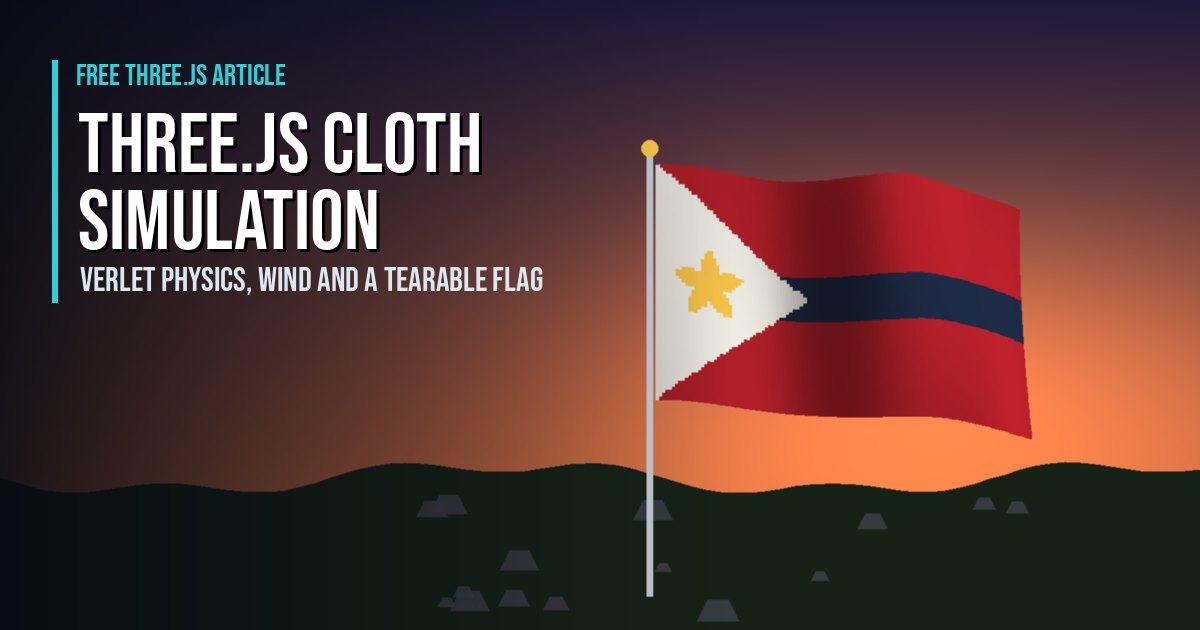
Play It and Keep Learning
Play Super Soldier Battle free in your browser, my team-based Three.js shooter (read about it here). More physics: the Rapier rocket lander tutorial for rigid bodies, and walls that stop bullets with BVH raycasts.
Need Three.js physics or game work? I take freelance and contract work: contact me.
Play the Game