Three.js Water Shader Tutorial · Premium
THREE.JS GERSTNER WAVES
AND BUOYANCY
By Shane Brumback · · Intermediate Three.js tutorial · about 45 minutes
Build a custom water shader from Gerstner waves, then make crates, a barrel, a raft and a boat ride it by sampling the same waves in JavaScript.
SEE IT LIVE
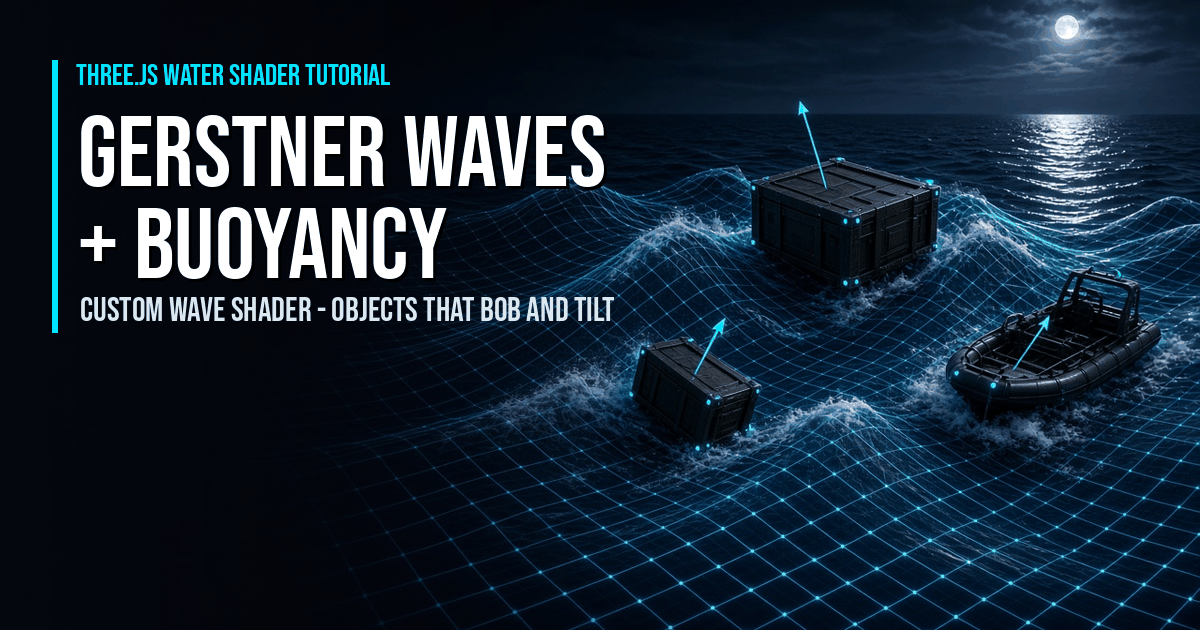
Launch the full-screen demo to drive the full Gerstner ocean yourself: six floating objects bob and tilt on the waves, a Sea button cycles Calm, Choppy and Storm, and a Sample points button shows the cyan dots each object uses to feel the water.
Drag to orbit, scroll to zoom, Sea button cycles Calm / Choppy / Storm, Sample points toggles the buoyancy dots, Esc exits.
What Are Gerstner Waves and Buoyancy? (Quick Definition)
Gerstner waves move each water vertex in a circle so crests sharpen and troughs widen; buoyancy samples the same waves on the CPU to place objects on the surface. The shader and a JavaScript copy share one wave list, so crates, a barrel, a raft and a boat always ride the exact surface you see.
Introduction
Three.js Gerstner waves and buoyancy let you build water that things can actually float on. In this premium tutorial we write a custom water shader from scratch, then make three crates, a barrel, a raft and a small boat bob and tilt on it by running the same wave math in JavaScript. It's the prototype for floating objects in my browser shooter Super Soldier Battle, and the story behind it is in the dev log article.
A full-screen ocean with a sunset sky and six floating objects. A Sea button switches between Calm, Choppy and Storm, and the objects react instantly because the shader and the CPU read the same numbers. A Sample points button shows the cyan dots each object uses to feel the water. If you only need a reflective ocean, start with my free Three.js water shader tutorial with the Water and Sky addons. This tutorial solves the problem that one can't: the addon's surface is flat, so nothing can float on it.
How Does This Compare to the Water Addon and the Game?
| Water addon tutorial | Super Soldier Battle today | This tutorial | |
|---|---|---|---|
| Geometry | flat plane | Water addon plane displaced by 3 Gerstner waves | custom ShaderMaterial, 4 Gerstner waves |
| Wave height | none | steepness 0.012, almost flat | Calm / Choppy / Storm presets |
| Lighting normals | normal map | normal map | computed from the waves |
| Reflections | extra reflection render | extra reflection render | sky fresnel, no extra render |
| Foam | no | no | on high, steep crests |
| CPU wave height | no | getWaveInfo() exists, not called | used every frame |
| Floating objects | no | no | crates, barrel, raft, boat |
The game's numbers come from its GerstnerWater class: one 10,000 x 10,000 plane with 256 x 256 segments at y = -7, waves at 0, 30 and 60 degrees with wavelengths 100, 50 and 25, kept nearly flat because the same plane also fills the inland ponds.
What You'll Learn
- How to store one shared wave list for the GPU and the CPU
- How to displace water with Gerstner waves in a vertex shader
- How to shade water with a Schlick fresnel, a sun glint and foam
- How to read the wave height at any point on the CPU for buoyancy
- How to give crates, a barrel, a raft and a boat sample points
- How to place and tilt each object from its samples with a spring-damper
- How to drive the shader and the sampler from one clock
Prerequisites
- three.js r160 via a CDN import map, plus the OrbitControls addon (shown in the full code)
- Comfort with
ShaderMaterialand a little GLSL - A local static web server to open the demo over
http://
Frequently Asked Questions
How do Gerstner waves work in a Three.js shader?
Each wave moves a vertex in a circle: up and down by a*sin(f) and sideways along the wave direction by a*cos(f), where f depends on position, wavelength and time. Add several waves in the vertex shader of a ShaderMaterial. The same sums give the tangent and binormal, and their cross product is the surface normal for lighting.
How do I get the water height at a position for buoyancy?
Run the shader's wave math in JavaScript with the same wave list and time. Because Gerstner waves move vertices sideways, first find which grid point lands on your x and z: start there, displace, subtract the sideways error and repeat three or four times. Then read the displaced height.
How do floating objects tilt with the waves?
Sample the water at several points under the object, such as its four corners. Fit a plane through those heights: the slope along the object's length gives pitch, the slope across it gives roll. Ease the angles and use a spring for height, so heavy objects lag slightly and light ones follow quickly.
Is this better than the Three.js Water addon?
It's different. The Water addon renders true reflections but its surface is flat, so nothing can float on it, and the reflection costs an extra scene render. This shader moves the real geometry, lights it from wave normals and fakes reflections with a sky fresnel, which leaves budget for wave motion and buoyancy.
How many sample points does each floating object need?
Usually three to six. Four corners are enough for a crate, a barrel lying on its side works with two ends and two sides, and a long boat looks better with six points along the hull. More points smooth the motion but cost a few more sine and cosine calls each.
Does Super Soldier Battle use this buoyancy code?
Not yet. The game already displaces its Water addon plane with three Gerstner waves and has an unused CPU wave function, but the waves are nearly flat and nothing floats. This tutorial is the prototype for the planned floating crates, barrels and boats.
How It Works
- Define one shared wave list — Store each wave's direction, steepness and wavelength in one array and pack it into vec4 uniforms for the shader.
- Displace the water in a vertex shader — Sum four Gerstner waves on a baked-rotation plane and build the normal from the tangent and binormal sums.
- Shade the water — Blend deep and shallow color by crest height, add a Schlick fresnel sky reflection, a sun glint and crest foam.
- Mirror the waves on the CPU — Copy the wave math to JavaScript and correct for sideways motion with four fixed-point steps to get the height at any x and z.
- Add floating objects with sample points — Give each crate, barrel, raft and boat a list of local sample points and a draft.
- Apply buoyancy — Average the sampled heights for position, fit a plane for pitch and roll, and smooth with a spring-damper.
- Drive both from one clock — Update the shader time uniform and the CPU sampler with the same time every frame, and switch sea states on both together.
That's the shape of the build. The detailed code breakdown and the full copy-paste file are below — members unlock them (become a member to get every premium tutorial and the source code).
Step 1: One Wave List for the GPU and the CPU
Everything depends on this rule: the shader and the JavaScript sampler must use the same waves. So they live in one array. Each wave is a direction in degrees, a steepness and a wavelength. Keep the total steepness below 1 or the crests fold over themselves. The demo uses four waves and three sea states (Calm, Choppy and Storm) that simply multiply every steepness, and a small helper packs each wave into a four-component vector for the shader.
Step 2: Displace the Water With Gerstner Waves
Each Gerstner wave moves a vertex up and down and also sideways along its direction. That sideways slide is what sharpens the crests. The same derivatives give the tangent and binormal, and their cross product is the real surface normal, which the game's version doesn't compute (it lights the water from the normal map only). The water plane's rotation is baked into the geometry so local x and z equal world x and z, which keeps the GPU and CPU coordinates identical.
Step 3: Shade the Water
No textures and no reflection render. The color comes from three cheap tricks: deeper blue in the troughs and lighter teal on the crests, a Schlick fresnel that reflects the sky at grazing angles, and a tight sun glint. Foam appears on the highest, steepest crests. Dropping the reflection render target is what frees the budget for wave motion and floating objects.
Step 4: Mirror the Waves on the CPU
This is the heart of buoyancy. The CPU wave function is the vertex shader's loop written in JavaScript. But Gerstner waves move points sideways, so the grid point that ends up above a spot started somewhere else. A few fixed-point steps find it: start at the target, displace, subtract the sideways error, and repeat. In my tests four steps kept the sideways error to about 0.12 units in the Storm preset and well under 0.01 in Calm.
Step 5: Give Each Object Sample Points
Every floater gets a few local sample points, a draft (how far its origin sits below the surface) and a response (light objects follow quickly, heavy ones lag). Four corners suit a crate, two ends and two sides suit a barrel on its side, and a long boat uses six points along the hull. The demo places three crates, a barrel, a raft and a boat this way.
Step 6: Buoyancy, Height and Tilt
Per frame, each object samples the water under its points. The average height places it. A least-squares plane through the samples gives the slopes, which become pitch and roll. A spring-damper on height and an ease on the angles stop it from jittering, so a heavy raft lags a little while a light crate snaps to the surface. A gentle yaw drift keeps the scene feeling alive.
Step 7: Drive Everything From One Clock
One time value feeds the shader uniform and the CPU sampler. The sea-state button changes the wave scale on both sides at once, so the objects never fall out of sync with the surface. The HUD shows the floater count, the number of wave samples (26) and the average CPU cost of the buoyancy loop per frame — a tiny fraction of a millisecond. The full code for every step is in the members-only breakdown below.
How To Use It
- Cycle the sea state. The
Seabutton steps through Calm, Choppy and Storm. The shader and the buoyancy sampler change together, so the objects never fall out of sync. - Show the sample points. The
Sample pointsbutton reveals the cyan dots each object uses to feel the water height. - Watch the HUD. It reports the floater count, the 26 wave samples and the average CPU cost of the buoyancy loop per frame.
- Copy or launch. The full code is a single runnable file; copy it into an
.htmlfile served overhttp://, or use the Launch button.
For the reflective-ocean starting point, see the free Three.js water shader tutorial with the Water and Sky addons. For a related effect from the same game, try the Three.js ground mist tutorial.
READ THE FREE ARTICLE
The dev log article explains the ideas behind the code: how the ocean in Super Soldier Battle works today, why nothing floats on it yet, and the plan to make crates, barrels and rafts ride the waves. It's free to read.
Read the Floating Objects Article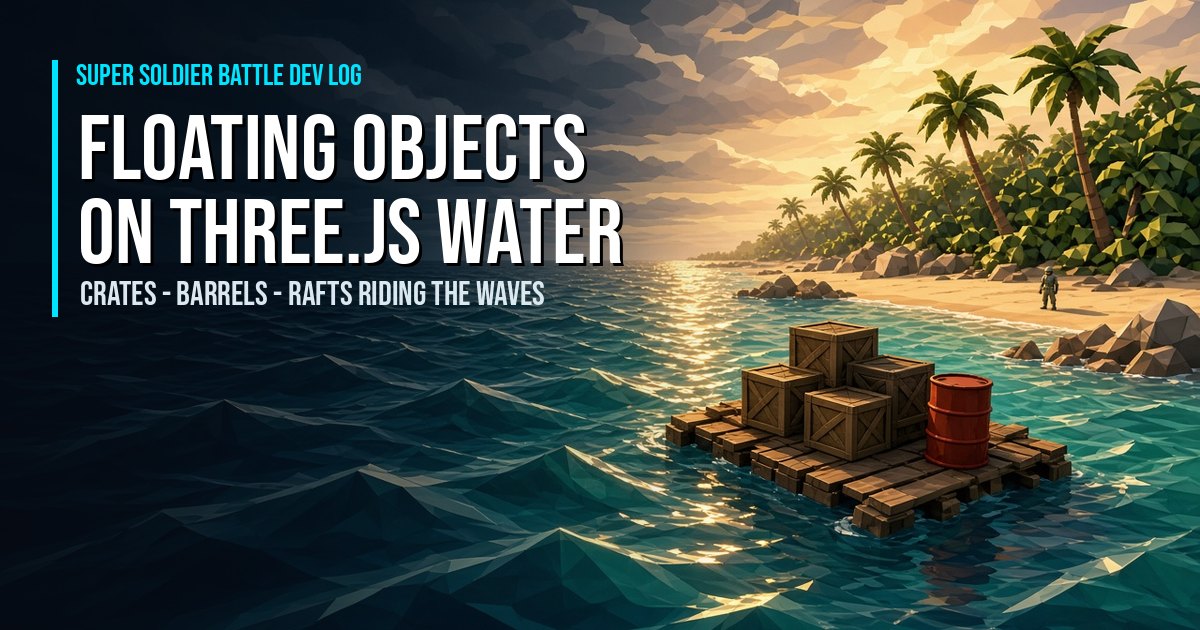
Play It and Keep Learning
Play Super Soldier Battle free in your browser and wade into the sea off the beach: the ocean already runs three Gerstner waves, and the floating crates, barrels and boats from this tutorial are the planned next step.
Need Three.js water, shaders, effects or performance work? I take freelance and contract work: contact me.
Play Game