YOUTUBE VIDEO IN THREE.JS
CSS3D SCREEN, VIDEOTEXTURE AND GLOW
By Shane Brumback · Published · Updated · Intermediate Three.js tutorial · about 45 minutes
Everyone tries to turn a YouTube video into a Three.js texture and hits a wall. Here is why it fails, and the hybrid trick that works: a real YouTube player on a 3D screen, with neon glow, particles and a true VideoTexture screen in the same scene.
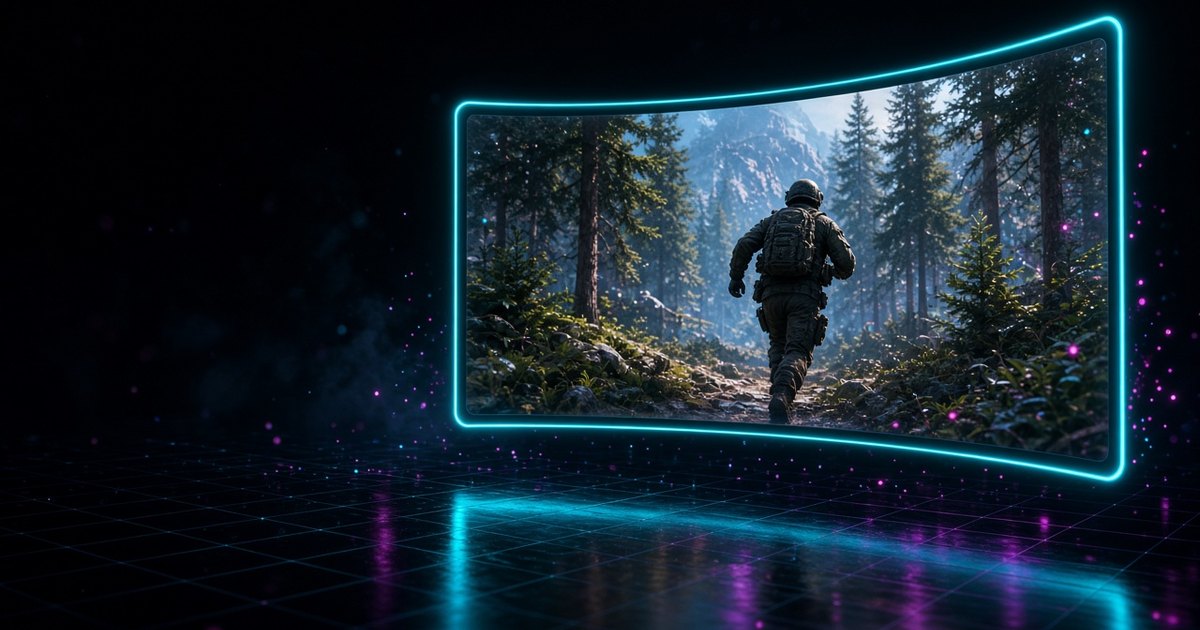
LIVE DEMO
A neon cinema: the main screen is a live YouTube player you can click and orbit around, glowing in a WebGL scene. The side screen is a real VideoTexture playing an MP4, reflected on the floor.
Free Google sign-in. No membership needed.
Can you use a YouTube video as a Three.js texture? (Quick Answer)
No, not directly. A YouTube video plays inside a cross-origin iframe, and browsers do not let WebGL read pixels from another site's iframe, so there is no way to feed it to THREE.VideoTexture. Copying the raw stream also breaks YouTube's terms. What works: place the YouTube iframe in 3D with CSS3DRenderer, draw a transparent "hole" plane in WebGL at the same spot, and stack the two renderers with one camera. For a video you own, host the MP4 with CORS and use THREE.VideoTexture, which gives you a real texture you can bend, light and reflect.
Introduction
This is the question behind a lot of searches: "three.js youtube texture". The honest answer saves hours. WebGL textures need pixel access, and pixel access stops at the edge of another origin. The YouTube player is another origin.
So we use two renderers. The CSS3DRenderer moves a real HTML iframe with CSS 3D transforms, so YouTube plays it normally with its own controls. A transparent WebGLRenderer canvas sits on top and draws the neon frame, light spill, grid floor and particles. Both use the same camera, so they line up perfectly as you orbit.
This builds on the YouTube IFrame API tutorial, which explains the player calls used here. If you only want videos on the sides of a spinning cube, the pure CSS3D version is in 3D Rendering YouTube Videos.
Key Concepts
- Cross-origin rule — WebGL may only sample images and video it is allowed to read. A YouTube iframe never is, so no texture.
- CSS3DRenderer — a Three.js renderer that positions real DOM elements in 3D with CSS matrix3d transforms. The iframe stays fully interactive.
- Renderer stacking — the CSS layer sits under a transparent WebGL canvas with pointer-events: none, so clicks reach the video and OrbitControls.
- Hole punch — a WebGL plane with opacity 0 and NoBlending writes clear pixels and depth where the screen is, so the iframe shows through and objects in front still hide it.
- VideoTexture — turns an HTML video element into a texture that updates every frame. Needs a same-origin or CORS-enabled MP4 and crossOrigin = "anonymous".
- Additive glow — sprites, bars and particles with AdditiveBlending and depthWrite false add light instead of covering, which reads as neon.
- Mobile autoplay — MP4 textures autoplay only when muted with playsInline. YouTube still needs a tap to start with sound.
Which Approach Should You Use?
| Approach | Video source | Real texture? | Good for |
|---|---|---|---|
| CSS3DRenderer iframe | YouTube, Vimeo, any embed | No, flat DOM plane | Trailers, portfolios, in-game TVs with real controls |
| CSS3D + WebGL hybrid (this demo) | YouTube plus your scene | No, but blends with 3D | Neon cinemas, lobbies, showrooms |
| THREE.VideoTexture | Your own MP4 or WebM with CORS | Yes | Curved screens, reflections, shaders, VR |
| Ripping the YouTube stream | - | - | Do not. It breaks YouTube's terms and breaks often. |
Want a true texture of a video that is on YouTube? Upload the same file to your own hosting (or S3 and CloudFront with CORS) and point VideoTexture at it. Keep the YouTube embed for views and comments.
Frequently Asked Questions
Can I use a YouTube video as a texture in Three.js?
No. The YouTube player is a cross-origin iframe, and browsers block WebGL from reading its pixels. Use CSS3DRenderer to place the iframe in 3D, or use VideoTexture with your own CORS-enabled MP4.
Why is my Three.js VideoTexture black?
Usually the video is cross-origin without CORS headers, crossOrigin was not set to anonymous before src, or the video never started. Mute it and set playsInline to allow autoplay, and call video.play() after a tap if needed.
How do I mix CSS3DRenderer and WebGLRenderer?
Create both with the same size, put the CSS renderer element underneath, make the WebGL canvas transparent with alpha: true and clear color alpha 0, render both every frame with the same camera, and attach OrbitControls to the CSS layer.
Why do my WebGL objects draw over the YouTube iframe?
The WebGL canvas sits on top. Add a hole-punch plane at the iframe position with opacity 0 and NoBlending so WebGL clears those pixels and writes depth, then only objects truly in front cover the video.
Can I bend or curve a YouTube screen in Three.js?
Not the iframe itself, which is always a flat rectangle. Curved screens, distortion and shader effects need a VideoTexture from your own video file.
Does this work on phones?
Yes. CSS3D iframes and VideoTexture both work on modern iOS and Android browsers. The demo lowers particle counts and pixel ratio on phones, and YouTube needs a tap to start.
Is this the same as the 3D Rendering YouTube Videos tutorial?
No. That tutorial is a pure CSS3D spinning cube of videos. This one mixes CSS3D with a WebGL scene, adds a hole-punch for depth, glow VFX and a real VideoTexture screen.
How It Works
- Create two renderers and one camera — In plain words: A CSS3DRenderer for the iframe and a transparent WebGLRenderer for effects, the same size, with the WebGL canvas on top and ignoring the mouse.
- Put the YouTube player on a CSS3DObject — In plain words: A 960 by 540 div becomes a CSS3DObject. The IFrame Player API turns it into a player, and buttons call loadVideoById to switch videos.
- Punch a hole in the WebGL layer — In plain words: A plane the same size and place as the iframe uses opacity 0 with NoBlending, so WebGL leaves those pixels clear and the video shows through, while depth still works.
- Add the neon frame and light spill — In plain words: Four thin additive bars and a big soft sprite behind the screen glow cyan to magenta, and pulse faster while the YouTube player is playing.
- Lay a grid floor and glow pool — In plain words: A GridHelper and an additive glow plane make the floor look like it reflects the screen.
- Add a real VideoTexture screen — In plain words: An MP4 served with CORS plays muted in a hidden video element. VideoTexture maps it onto a side screen, and the same texture is mirrored faintly on the floor as a true moving reflection.
- Float glowing particles — In plain words: A Points cloud with a soft glow sprite rises through the room and speeds up during playback.
- Render both layers every frame — In plain words: One loop updates the effects and controls, then calls gl.render and cssRenderer.render with the same camera so the layers stay aligned.
Code Breakdown
The important pieces of the demo, one at a time. The full file is below.
const cssRenderer = new CSS3DRenderer();
cssRenderer.setSize(innerWidth, innerHeight);
document.getElementById('css').appendChild(cssRenderer.domElement);

const gl = new THREE.WebGLRenderer({ canvas: glCanvas, alpha: true });
gl.setClearColor(0x000000, 0);          // transparent canvas
// CSS: #gl { position: fixed; inset: 0; pointer-events: none; }
const controls = new OrbitControls(camera, cssRenderer.domElement);const holder = document.createElement('div');
holder.style.width = '960px'; holder.style.height = '540px';
holder.appendChild(mount); // <div id="yt-player">
const screenObj = new CSS3DObject(holder);
cssScene.add(screenObj);
player = new YT.Player('yt-player', { videoId, playerVars: { playsinline: 1 } });const hole = new THREE.Mesh(
new THREE.PlaneGeometry(960, 540),
new THREE.MeshBasicMaterial({ color: 0x000000, opacity: 0, blending: THREE.NoBlending })
);
hole.position.copy(screenObj.position); // same place as the iframe
scene.add(hole);const video = document.createElement('video');
video.crossOrigin = 'anonymous'; // must be set before src
video.src = 'https://your-cdn.example.com/clip.mp4'; // CORS enabled
video.muted = true; video.loop = true; video.playsInline = true;
video.play();
const tex = new THREE.VideoTexture(video);
tex.colorSpace = THREE.SRGBColorSpace;
screen.material.map = tex;function animate() {
requestAnimationFrame(animate);
controls.update();
gl.render(scene, camera);
cssRenderer.render(cssScene, camera);
}The Full Code
Save as index.html and open it through any local web server, or hit Launch. Three.js r160 loads from a CDN; the side screen streams the Sintel sample MP4 from threejs.org, which is served with CORS. Copy and Launch use the same free sign-in as the live demo.
<!DOCTYPE html>
<html lang="en">
<head>
<meta charset="utf-8">
<meta name="viewport" content="width=device-width, initial-scale=1">
<title>YouTube Video in Three.js: Neon Cinema</title>
<style>
  html, body { margin: 0; height: 100%; overflow: hidden; background: radial-gradient(ellipse at 50% 30%, #0b1a2e 0%, #03060c 70%); font-family: Arial, sans-serif; color: #e2e8f0; }
  #css { position: fixed; inset: 0; }
  #gl { position: fixed; inset: 0; pointer-events: none; }
  #ui { position: fixed; left: 50%; bottom: 14px; transform: translateX(-50%); width: min(94vw, 620px); padding: 12px 16px; background: rgba(10,14,22,0.82); border: 1px solid rgba(42,209,214,0.25); border-radius: 14px; backdrop-filter: blur(10px); -webkit-backdrop-filter: blur(10px); z-index: 5; }
  #ui .row { display: grid; grid-template-columns: 1fr 1fr 1fr; gap: 8px 14px; }
  #ui label { font-size: 11px; text-transform: uppercase; letter-spacing: .5px; color: #93a4b8; display: block; }
  #ui input[type=range] { width: 100%; accent-color: #2ad1d6; }
  #vids { display: flex; gap: 6px; flex-wrap: wrap; justify-content: center; margin-bottom: 10px; }
  #vids button { background: #13202e; color: #2ad1d6; border: 1px solid rgba(42,209,214,.4); border-radius: 8px; padding: 6px 10px; font-size: 12px; cursor: pointer; }
  #vids button.on { background: #2ad1d6; color: #06252a; font-weight: 700; }
  @media (max-width: 640px), (pointer: coarse) { #ui { padding: 8px 10px; bottom: 8px; } #ui .row { grid-template-columns: 1fr 1fr; } #vids button { padding: 5px 8px; font-size: 11px; } }
</style>
<script type="importmap">
{ "imports": { "three": "https://unpkg.com/three@0.160.0/build/three.module.js", "three/addons/": "https://unpkg.com/three@0.160.0/examples/jsm/" } }
</script>
</head>
<body>
<div id="css"></div>
<canvas id="gl"></canvas>
<div id="ui">
  <div id="vids"></div>
  <div class="row">
    <div><label>Neon glow</label><input id="glow" type="range" min="0" max="2" step="0.01" value="1"></div>
    <div><label>Particles</label><input id="spark" type="range" min="0" max="2" step="0.01" value="1"></div>
    <div><label>Auto orbit</label><input id="orbit" type="range" min="0" max="2" step="0.01" value="0.4"></div>
  </div>
</div>
<script type="module">
import * as THREE from 'three';
import { OrbitControls } from 'three/addons/controls/OrbitControls.js';
import { CSS3DRenderer, CSS3DObject } from 'three/addons/renderers/CSS3DRenderer.js';

// ---------- 1. Two renderers that share one camera ----------
// The CSS3DRenderer moves a real YouTube iframe in 3D. The WebGL renderer draws
// everything else on a transparent canvas stacked on top of it.
const isMobile = Math.min(innerWidth, innerHeight) < 600 || matchMedia('(pointer: coarse)').matches;
const camera = new THREE.PerspectiveCamera(50, innerWidth / innerHeight, 1, 20000);
camera.position.set(0, 260, isMobile ? 2300 : 1700);

const cssRenderer = new CSS3DRenderer();
cssRenderer.setSize(innerWidth, innerHeight);
document.getElementById('css').appendChild(cssRenderer.domElement);

const gl = new THREE.WebGLRenderer({ canvas: document.getElementById('gl'), antialias: !isMobile, alpha: true });
gl.setPixelRatio(Math.min(devicePixelRatio, isMobile ? 1.5 : 2));
gl.setSize(innerWidth, innerHeight);
gl.setClearColor(0x000000, 0);

const cssScene = new THREE.Scene();
const scene = new THREE.Scene();
scene.fog = new THREE.FogExp2(0x03060c, 0.00028);

// OrbitControls listen on the CSS layer (the WebGL canvas ignores the pointer).
const controls = new OrbitControls(camera, cssRenderer.domElement);
controls.target.set(0, 260, 0);
controls.enableDamping = true;
controls.minDistance = 600; controls.maxDistance = 3200;
controls.maxPolarAngle = Math.PI * 0.55;

// ---------- 2. The YouTube screen (CSS3DObject + IFrame Player API) ----------
const SCREEN_W = 960, SCREEN_H = 540;
const VIDEOS = [
  ['zGjkeQE_tmw', 'Super Soldier Battle'],
  ['qhfMt1nKcsI', 'Tommy Gun FPS'],
  ['_n8Yb_j5E2o', 'Particles'],
  ['67Ii__vPouE', 'Fire Fountain']
];
const holder = document.createElement('div');
holder.style.width = SCREEN_W + 'px'; holder.style.height = SCREEN_H + 'px'; holder.style.background = '#000';
const mount = document.createElement('div'); mount.id = 'yt-player';
holder.appendChild(mount);
const screenObj = new CSS3DObject(holder);
screenObj.position.set(0, 300, 0);
cssScene.add(screenObj);

let player = null;
window.onYouTubeIframeAPIReady = function () {
  player = new YT.Player('yt-player', {
    width: SCREEN_W, height: SCREEN_H, videoId: VIDEOS[0][0],
    playerVars: { playsinline: 1, rel: 0, modestbranding: 1 },
    events: { onStateChange: (e) => { playing = e.data === YT.PlayerState.PLAYING; } }
  });
};
// Load the API only after the callback exists, so it can never be missed.
const ytTag = document.createElement('script');
ytTag.src = 'https://www.youtube.com/iframe_api';
document.head.appendChild(ytTag);
let playing = false;

const vids = document.getElementById('vids');
VIDEOS.forEach(([id, name], i) => {
  const b = document.createElement('button'); b.textContent = name; if (i === 0) b.className = 'on';
  b.onclick = () => { if (player && player.loadVideoById) player.loadVideoById(id); vids.querySelectorAll('button').forEach(x => x.className = ''); b.className = 'on'; };
  vids.appendChild(b);
});

// ---------- 3. Hole punch: a WebGL plane that writes transparent pixels ----------
// Same size and position as the iframe. NoBlending + opacity 0 clears the canvas
// there, so the iframe below shows through, but the plane still writes depth,
// so WebGL objects in front of the screen hide it correctly.
const hole = new THREE.Mesh(
  new THREE.PlaneGeometry(SCREEN_W, SCREEN_H),
  new THREE.MeshBasicMaterial({ color: 0x000000, opacity: 0, transparent: false, blending: THREE.NoBlending, side: THREE.DoubleSide })
);
hole.position.copy(screenObj.position);
scene.add(hole);

// ---------- 4. Neon frame + light spill ----------
const params = { glow: 1, spark: 1, orbit: 0.4 };
const neon = new THREE.Color(0x2ad1d6), pink = new THREE.Color(0xff3fd8);
const frameMat = new THREE.MeshBasicMaterial({ color: neon.clone(), transparent: true, blending: THREE.AdditiveBlending, depthWrite: false });
const frame = new THREE.Group();
const T = 10;
[[0, SCREEN_H / 2 + T, SCREEN_W + 4 * T, T], [0, -SCREEN_H / 2 - T, SCREEN_W + 4 * T, T],
 [SCREEN_W / 2 + T, 0, T, SCREEN_H + 2 * T], [-SCREEN_W / 2 - T, 0, T, SCREEN_H + 2 * T]].forEach(([x, y, w, h]) => {
  const bar = new THREE.Mesh(new THREE.BoxGeometry(w, h, T), frameMat); bar.position.set(x, y, 0); frame.add(bar);
});
frame.position.copy(screenObj.position);
scene.add(frame);

function glowTexture() {
  const c = document.createElement('canvas'); c.width = c.height = 128;
  const g = c.getContext('2d'), r = g.createRadialGradient(64, 64, 0, 64, 64, 64);
  r.addColorStop(0, 'rgba(255,255,255,1)'); r.addColorStop(0.25, 'rgba(255,255,255,0.45)'); r.addColorStop(1, 'rgba(255,255,255,0)');
  g.fillStyle = r; g.fillRect(0, 0, 128, 128);
  const t = new THREE.CanvasTexture(c); t.colorSpace = THREE.SRGBColorSpace; return t;
}
const glowTex = glowTexture();
const spill = new THREE.Sprite(new THREE.SpriteMaterial({ map: glowTex, color: neon.clone(), blending: THREE.AdditiveBlending, depthWrite: false, transparent: true, opacity: 0.5 }));
spill.scale.set(SCREEN_W * 2.4, SCREEN_H * 2.2, 1); spill.position.set(0, 300, -60);
scene.add(spill);

// ---------- 5. Floor: grid + reflection pool ----------
const grid = new THREE.GridHelper(8000, 80, 0x2ad1d6, 0x123044);
grid.material.transparent = true; grid.material.opacity = 0.35; grid.position.y = -40;
scene.add(grid);
const pool = new THREE.Mesh(new THREE.PlaneGeometry(SCREEN_W * 1.3, 900),
  new THREE.MeshBasicMaterial({ map: glowTex, color: neon.clone(), transparent: true, blending: THREE.AdditiveBlending, depthWrite: false, opacity: 0.55 }));
pool.rotation.x = -Math.PI / 2; pool.position.set(0, -38, 260);
scene.add(pool);

// ---------- 6. A REAL VideoTexture: your own MP4 on a side screen ----------
// WebGL can sample pixels from an MP4 served with CORS. It cannot read pixels
// from a YouTube iframe, which is why the main screen uses CSS3D instead.
const video = document.createElement('video');
video.src = 'https://threejs.org/examples/textures/sintel.mp4';
video.crossOrigin = 'anonymous'; video.loop = true; video.muted = true; video.playsInline = true;
video.play().catch(() => addEventListener('pointerdown', () => video.play(), { once: true }));
const vtex = new THREE.VideoTexture(video); vtex.colorSpace = THREE.SRGBColorSpace;
const side = new THREE.Mesh(new THREE.PlaneGeometry(480, 204), new THREE.MeshBasicMaterial({ map: vtex, side: THREE.DoubleSide }));
side.position.set(900, 180, 260); side.rotation.y = -0.65;
scene.add(side);
// The same texture tinted on the floor gives a real moving reflection.
const sideRefl = new THREE.Mesh(new THREE.PlaneGeometry(480, 204), new THREE.MeshBasicMaterial({ map: vtex, transparent: true, opacity: 0.22, blending: THREE.AdditiveBlending, depthWrite: false }));
sideRefl.position.set(900, -38, 360); sideRefl.rotation.set(-Math.PI / 2, 0, -0.65); sideRefl.scale.y = -1;
scene.add(sideRefl);

// ---------- 7. Rising light particles ----------
const COUNT = isMobile ? 500 : 1400;
const pos = new Float32Array(COUNT * 3), col = new Float32Array(COUNT * 3), spd = new Float32Array(COUNT);
const tmp = new THREE.Color();
for (let i = 0; i < COUNT; i++) {
  pos[i * 3] = (Math.random() - 0.5) * 3200; pos[i * 3 + 1] = Math.random() * 1200 - 40; pos[i * 3 + 2] = (Math.random() - 0.5) * 2400;
  tmp.copy(Math.random() < 0.7 ? neon : pink); col[i * 3] = tmp.r; col[i * 3 + 1] = tmp.g; col[i * 3 + 2] = tmp.b;
  spd[i] = 20 + Math.random() * 60;
}
const pgeo = new THREE.BufferGeometry();
pgeo.setAttribute('position', new THREE.BufferAttribute(pos, 3));
pgeo.setAttribute('color', new THREE.BufferAttribute(col, 3));
const points = new THREE.Points(pgeo, new THREE.PointsMaterial({ size: 14, map: glowTex, vertexColors: true, transparent: true, blending: THREE.AdditiveBlending, depthWrite: false }));
scene.add(points);

// ---------- 8. Sliders ----------
['glow', 'spark', 'orbit'].forEach(k => {
  const el = document.getElementById(k);
  el.addEventListener('input', () => { params[k] = parseFloat(el.value); });
});

// ---------- 9. Render loop: both renderers, same camera ----------
const clock = new THREE.Clock();
function animate() {
  requestAnimationFrame(animate);
  const dt = Math.min(clock.getDelta(), 0.05), t = clock.elapsedTime;
  const beat = playing ? 0.75 + 0.25 * Math.sin(t * 6) : 0.55 + 0.1 * Math.sin(t * 1.5);
  const hueMix = (Math.sin(t * 0.4) + 1) / 2;
  frameMat.color.copy(neon).lerp(pink, hueMix * 0.6).multiplyScalar(0.6 + params.glow * beat);
  spill.material.color.copy(frameMat.color); spill.material.opacity = 0.35 * params.glow * beat;
  pool.material.color.copy(frameMat.color); pool.material.opacity = 0.45 * params.glow * beat;
  const p = pgeo.attributes.position.array;
  for (let i = 0; i < COUNT; i++) {
    p[i * 3 + 1] += spd[i] * dt * params.spark * (playing ? 1.8 : 1);
    if (p[i * 3 + 1] > 1200) p[i * 3 + 1] = -40;
  }
  pgeo.attributes.position.needsUpdate = true;
  points.material.opacity = Math.min(1, params.spark);
  controls.autoRotate = params.orbit > 0.01; controls.autoRotateSpeed = params.orbit;
  controls.update();
  gl.render(scene, camera);
  cssRenderer.render(cssScene, camera);
}
animate();

addEventListener('resize', () => {
  camera.aspect = innerWidth / innerHeight; camera.updateProjectionMatrix();
  gl.setSize(innerWidth, innerHeight); cssRenderer.setSize(innerWidth, innerHeight);
});
</script>
</body>
</html>
Taking It Further
- Learn every player call used here in the YouTube IFrame API tutorial
- Build a spinning video cube with the pure CSS3DRenderer YouTube tutorial
- Replace the floating motes with fire from the fire fountain particle system
- Add a lobby TV like this to a game such as Super Soldier Battle