BALL VS. WALL
3D COLLISION EVENTS
By Shane Brumback · · Updated · Free Three.js tutorial · Level 1
To react to collisions in Three.js, give each mesh a matching physics body in a library like cannon-es and listen for its collide event. Here a red ball rolls or flies into a wall of 35 cubes, every hard hit flashes a cube to a new color, and the wall rebuilds itself so it happens again.
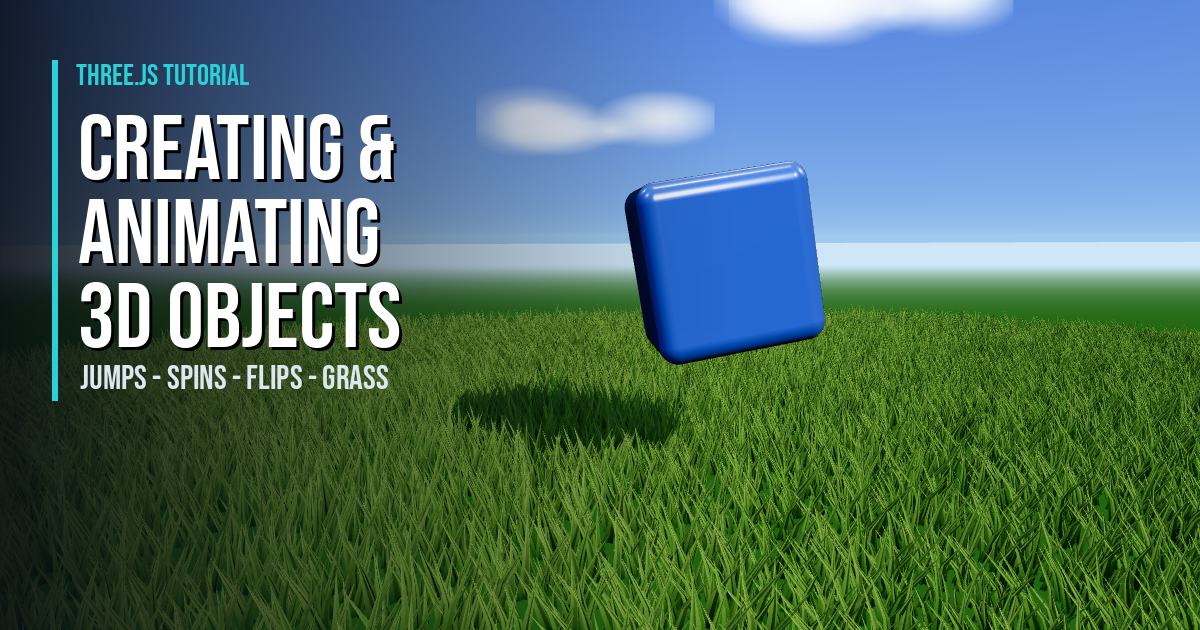
A beginner walkthrough of cannon-es rigid bodies, collide events, sleeping bodies and a tiny smash-and-rebuild loop, set on green grass under a happy blue sky with soft clouds and sun shadows. The scene behind this page is the live demo, and the full copy-paste source is below.
LIVE DEMO
The ball smashing the wall behind this page is a live Three.js and cannon-es scene. Launch the full-screen demo to drag to orbit and scroll to zoom and press the Shoot the Ball button (or Space) to smash the wall. If nobody shoots for about 8 seconds it fires on its own. Launch asks for a free Google sign-in first. Press Esc or Close Live Demo to return.
Free Google sign-in · Orbit: drag · Zoom: scroll · Esc to exit
READY FOR ENDLESS TERRAIN?
This Level 1 field is a flat lawn whose grass lies down under the ball and cubes. The Level 3 premium Terrain LOD tutorial streams endless hills with sand, grass, rock and snow blended in an onBeforeCompile shader, with LOD skirts, worker chunks and grass that follows you. Members unlock the full code; sign in to reveal it.
How Collision Events Work
Three.js draws 3D shapes, but it does not know that a ball should bounce off a box. A physics library fills that gap. In this demo every cube and the ball have two halves: a Mesh you can see and an invisible CANNON.Body that falls, spins and bumps. Each frame we step the physics, then copy each body position and rotation onto its mesh.
When two bodies touch, cannon-es fires a collide event. We listen for it on every cube and, if the hit is hard enough, flash the cube white and give it a new color. New to Three.js? Start with the spinning cube starter or animating simple 3D objects. The sky and grass come from that tutorial and the endless procedural grass tutorial.
Step-by-Step Code Breakdown
Every excerpt below is copied exactly from the full code further down.
1. Set up the scene, camera and renderer
In plain words: we make an empty 3D world, a camera to look at it, and a renderer that draws it with soft sun shadows. Create a Scene, a PerspectiveCamera and a WebGLRenderer, turn on PCF soft shadow maps and ACES tone mapping, and cap the pixel ratio on phones.
const scene = new THREE.Scene();
const camera = new THREE.PerspectiveCamera(50, innerWidth / innerHeight, 0.1, 2000);
camera.position.set(16, 6.8, 19);

const renderer = new THREE.WebGLRenderer({ antialias: true });
renderer.setPixelRatio(Math.min(devicePixelRatio, isMobile ? 1.5 : 2));
renderer.setSize(innerWidth, innerHeight);
renderer.shadowMap.enabled = true;
renderer.shadowMap.type = THREE.PCFSoftShadowMap;
renderer.toneMapping = THREE.ACESFilmicToneMapping;
renderer.toneMappingExposure = 0.8;
document.body.style.margin = '0';
document.body.appendChild(renderer.domElement);
2. Paint a happy blue sky with soft clouds
In plain words: we wrap the world in a giant inside-out ball painted bright blue on top and pale near the horizon, then hang fuzzy white clouds in it. Build a BackSide SphereGeometry with a small ShaderMaterial that mixes two colors by height and adds a sun glow, then place canvas-texture Sprites far away as clouds.
const sunDir = new THREE.Vector3().setFromSphericalCoords(1, THREE.MathUtils.degToRad(50), THREE.MathUtils.degToRad(40));
const sky = new THREE.Mesh(
  new THREE.SphereGeometry(900, 32, 16),
  new THREE.ShaderMaterial({
    side: THREE.BackSide,
    depthWrite: false,
    fog: false,
    uniforms: {
      uTop: { value: new THREE.Color(0x1e88ff) },
      uHorizon: { value: new THREE.Color(0xd6efff) },
      uSunDir: { value: sunDir }
    },
    vertexShader: `
      varying vec3 vDir;
      void main() {
        vDir = normalize(position);
        gl_Position = projectionMatrix * modelViewMatrix * vec4(position, 1.0);
      }`,
    fragmentShader: `
      uniform vec3 uTop; uniform vec3 uHorizon; uniform vec3 uSunDir;
      varying vec3 vDir;
      void main() {
        float h = max(vDir.y, 0.0);
        vec3 col = mix(uHorizon, uTop, pow(h, 0.5));
        float sun = max(dot(normalize(vDir), uSunDir), 0.0);
        col += vec3(1.0, 0.93, 0.75) * (pow(sun, 600.0) * 2.0 + pow(sun, 10.0) * 0.3);
        gl_FragColor = vec4(col, 1.0);
      }`,
    toneMapped: false
  })
);
scene.add(sky);
scene.fog = new THREE.Fog(0xd6efff, 30, 70);

function makeCloudTexture() {
  const c = document.createElement('canvas');
  c.width = c.height = 256;
  const g = c.getContext('2d');
  for (let i = 0; i < 9; i++) {
    // keep every puff inside the canvas so it fades to alpha 0 before the edge
    const x = 80 + Math.random() * 96, y = 110 + Math.random() * 36, r = 30 + Math.random() * 20;
    const grad = g.createRadialGradient(x, y, 0, x, y, r);
    grad.addColorStop(0, 'rgba(255,255,255,0.95)');
    grad.addColorStop(1, 'rgba(255,255,255,0)');
    g.fillStyle = grad;
    g.fillRect(0, 0, 256, 256);
  }
  return new THREE.CanvasTexture(c);
}
const clouds = new THREE.Group();
const cloudTex = makeCloudTexture();
for (let i = 0; i < 18; i++) {
  const cloud = new THREE.Sprite(new THREE.SpriteMaterial({ map: cloudTex, transparent: true, opacity: 0.9, depthWrite: false, fog: false, toneMapped: false }));
  const a = Math.random() * Math.PI * 2, d = 180 + Math.random() * 200;
  cloud.position.set(Math.cos(a) * d, 40 + Math.random() * 70, Math.sin(a) * d);
  cloud.scale.set(90 + Math.random() * 80, 45 + Math.random() * 30, 1);
  clouds.add(cloud);
}
scene.add(clouds);
3. Add the sun, shadows and green ground
In plain words: we add soft sky light, one strong sun that casts shadows, and a big green field to catch them. Add a PMREM RoomEnvironment, a HemisphereLight, a shadow-casting DirectionalLight with a fitted shadow camera, and a receiveShadow ground plane.
const pmrem = new THREE.PMREMGenerator(renderer);
scene.environment = pmrem.fromScene(new RoomEnvironment(), 0.04).texture;

scene.add(new THREE.HemisphereLight(0xd6ecff, 0x3d6b22, 1.1));
const sun = new THREE.DirectionalLight(0xfff2d6, 2.8);
sun.position.copy(sunDir).multiplyScalar(30);
sun.castShadow = true;
sun.shadow.mapSize.set(isMobile ? 1024 : 2048, isMobile ? 1024 : 2048);
sun.shadow.camera.left = sun.shadow.camera.bottom = -32;
sun.shadow.camera.right = sun.shadow.camera.top = 32;
sun.shadow.camera.near = 1;
sun.shadow.camera.far = 80;
sun.shadow.bias = -0.0005;
sun.shadow.normalBias = 0.02;
scene.add(sun);

const ground = new THREE.Mesh(
  new THREE.PlaneGeometry(400, 400),
  new THREE.MeshStandardMaterial({ color: 0x1a3a10, roughness: 0.95, metalness: 0.0 })
);
ground.rotation.x = -Math.PI / 2;
ground.receiveShadow = true;
scene.add(ground);
4. Grow grass that lies down under the ball and cubes
In plain words: this is the exact grass from the endless grass (capybara) tutorial: tall thin blades plus short bright tufts on a dark green ground, swaying in the same rolling wind, and lying flat where something sits on them, just like the capybara tramples a trail. Copy its fanned blade geometry, wind function, sun-lit ShaderMaterial and shadow depth shader, then move its trample (tilt about 86 degrees away and shorten) into the vertex shader, reading one vec4 per ball and cube from a uPress uniform array, so the GPU does it with no per-blade JavaScript.
const uTime = { value: 0 };
// Grass copied from the endless grass (capybara) tutorial: same fanned blades,
// colors, wind shader, shadow depth shader and density. Its capybara trample
// (blades tilt ~86 degrees away and shorten) moves into the vertex shader here,
// driven by a uPress uniform array, so 37 objects cost no per-blade JavaScript.
const MAX_PRESS = 40;
const uPress = { value: Array.from({ length: MAX_PRESS }, () => new THREE.Vector4(0, -99, 0, 0)) };
const windGLSL = `
  uniform vec4 uPress[${MAX_PRESS}];
  vec3 applyWind(vec3 pos, vec2 uvIn, mat4 iMat, float t) {
    vec4 wp = iMat * vec4(pos, 1.0);
    float h = uvIn.y * uvIn.y;
    float w = sin(wp.x*0.05 + wp.z*0.04 + t*1.2)*0.5+0.5;
    pos.x += w * h * 0.3;
    pos.y -= abs(w * h) * 0.1;
    return pos;
  }
  vec3 trample(vec3 wp, vec3 root) {
    float p = 0.0; vec2 dir = vec2(0.0, 1.0);
    for (int i = 0; i < ${MAX_PRESS}; i++) {
      vec4 o = uPress[i];
      vec2 d = root.xz - o.xz;
      float dn = length(d) / max(o.w, 0.0001);
      float k = o.w > 0.0 ? (dn < 0.8 ? 1.0 : clamp(1.0 - (dn - 0.8) / 0.2, 0.0, 1.0)) : 0.0;
      if (k > p) { p = k; dir = normalize(d + 0.0001); }
    }
    vec3 v = wp - root;
    v.y *= 1.0 - p * 0.55;
    float a = p * 1.5;
    vec3 k3 = normalize(cross(vec3(0.0, 1.0, 0.0), vec3(dir.x, 0.0, dir.y)));
    v = v * cos(a) + cross(k3, v) * sin(a) + k3 * dot(k3, v) * (1.0 - cos(a));
    return root + v;
  }
  vec4 grassWorld(vec3 position, vec2 uv, float t) {
    vec3 pos = applyWind(position, uv, instanceMatrix, t);
    vec3 wp = (modelMatrix * instanceMatrix * vec4(pos, 1.0)).xyz;
    vec3 root = (modelMatrix * instanceMatrix * vec4(0.0, 0.0, 0.0, 1.0)).xyz;
    return vec4(trample(wp, root), 1.0);
  }`;
// Fanned grass-blade geometry; two "types" differ in size/spread.
function makeBladeGeo(bladeWidth, bladeHeight, bladeMidHeight, spread) {
  const numBlades = 4, verts = [], uvs = [];
  for (let b = 0; b < numBlades; b++) {
    const a = (b / numBlades) * Math.PI * 2, cos = Math.cos(a), sin = Math.sin(a);
    const midX = cos * spread * 0.43, midZ = sin * spread * 0.43;
    const tipX = cos * spread, tipZ = sin * spread;
    verts.push(-bladeWidth/2*cos,0,-bladeWidth/2*sin, bladeWidth/2*cos,0,bladeWidth/2*sin, midX+bladeWidth/4*cos,bladeMidHeight,midZ+bladeWidth/4*sin);
    verts.push(-bladeWidth/2*cos,0,-bladeWidth/2*sin, midX+bladeWidth/4*cos,bladeMidHeight,midZ+bladeWidth/4*sin, midX-bladeWidth/4*cos,bladeMidHeight,midZ-bladeWidth/4*sin);
    verts.push(midX-bladeWidth/4*cos,bladeMidHeight,midZ-bladeWidth/4*sin, midX+bladeWidth/4*cos,bladeMidHeight,midZ+bladeWidth/4*sin, tipX,bladeHeight,tipZ);
    uvs.push(0,0,1,0,1,0.33, 0,0,1,0.33,0,0.33, 0,0.33,1,0.33,0.5,1);
  }
  const g = new THREE.BufferGeometry();
  g.setAttribute('position', new THREE.Float32BufferAttribute(verts, 3));
  g.setAttribute('uv', new THREE.Float32BufferAttribute(uvs, 2));
  g.computeVertexNormals();
  return g;
}
function makeGrassMaterials(baseHex, tipHex) {
  const mat = new THREE.ShaderMaterial({
    uniforms: { uTime: uTime, uPress: uPress, uBase: { value: new THREE.Color(baseHex) }, uTip: { value: new THREE.Color(tipHex) },
      uSunDir: { value: new THREE.Vector3(-12,16,6).normalize() }, uSunColor: { value: new THREE.Color(0xfff2d6) } },
    vertexShader: `
      uniform float uTime; varying vec2 vUv; varying vec3 vNormal;
      ${windGLSL}
      void main() {
        vUv = uv;
        vNormal = normalize(mat3(instanceMatrix) * normal);
        gl_Position = projectionMatrix * viewMatrix * grassWorld(position, uv, uTime);
      }`,
    fragmentShader: `
      uniform vec3 uBase; uniform vec3 uTip; uniform vec3 uSunDir; uniform vec3 uSunColor;
      varying vec2 vUv; varying vec3 vNormal;
      void main() {
        vec3 col = mix(uBase, uTip, vUv.y);
        float diff = abs(dot(normalize(vNormal), uSunDir));
        float ao = mix(0.55, 1.0, vUv.y);
        vec3 lit = col * ao * (0.5 + 0.9 * diff) + uSunColor * diff * 0.12 * vUv.y;
        gl_FragColor = vec4(lit, 1.0);
      }`,
    side: THREE.DoubleSide
  });
  const depth = new THREE.ShaderMaterial({
    uniforms: { uTime: uTime, uPress: uPress },
    vertexShader: `
      uniform float uTime; varying vec2 vHighPrec;
      ${windGLSL}
      void main() {
        gl_Position = projectionMatrix * viewMatrix * grassWorld(position, uv, uTime);
        vHighPrec = gl_Position.zw;
      }`,
    fragmentShader: `
      #include <packing>
      varying vec2 vHighPrec;
      void main() { gl_FragColor = packDepthToRGBA(0.5 * vHighPrec.x / vHighPrec.y + 0.5); }`,
    side: THREE.DoubleSide
  });
  return { mat, depth };
}
// Same density as the capybara field (24000 + 16000 blades on a 60 x 60 tile),
// planted in a wider circle (radius GRASS_R) around the bigger wall.
const GRASS_R = 40;
function makeLayer(geo, matPair, count, sMin, sMax) {
  const mesh = new THREE.InstancedMesh(geo, matPair.mat, count);
  mesh.castShadow = true; mesh.customDepthMaterial = matPair.depth; mesh.frustumCulled = false;
  const dummy = new THREE.Object3D();
  for (let i = 0; i < count; i++) {
    const r = Math.sqrt(Math.random()) * GRASS_R, a = Math.random() * Math.PI * 2;
    dummy.position.set(Math.cos(a) * r, 0, Math.sin(a) * r);
    dummy.rotation.set(0, Math.random() * Math.PI * 2, 0);
    const s = sMin + Math.random() * (sMax - sMin);
    dummy.scale.set(s, s * (0.85 + Math.random() * 0.3), s);
    dummy.updateMatrix();
    mesh.setMatrixAt(i, dummy.matrix);
  }
  scene.add(mesh);
  return mesh;
}
// Type A: tall thin field grass (dense). Type B: short wide bright tufts (dense).
const tallGeo = makeBladeGeo(0.16, 1.8, 0.6, 0.35);
const tuftGeo = makeBladeGeo(0.26, 0.7, 0.3, 0.5);
const tall = makeLayer(tallGeo, makeGrassMaterials(0x1a4010, 0x4a9030), isMobile ? 16000 : 33400, 0.8, 1.3);
const tuft = makeLayer(tuftGeo, makeGrassMaterials(0x2b5a16, 0x8fc24a), isMobile ? 10700 : 22400, 0.9, 1.5);
5. Create the physics world
In plain words: we make an invisible physics world with gravity and a solid floor, so things fall and land like real objects. Create a cannon-es World with gravity, allow sleeping bodies, raise the solver iterations, and add a static Plane body rotated to lie flat.
const world = new CANNON.World({ gravity: new CANNON.Vec3(0, -9.82, 0) });
world.allowSleep = true;
world.solver.iterations = 12;
world.defaultContactMaterial.friction = 0.4;
world.defaultContactMaterial.restitution = 0.15;

const groundBody = new CANNON.Body({ mass: 0, shape: new CANNON.Plane() });
groundBody.quaternion.setFromEuler(-Math.PI / 2, 0, 0);
world.addBody(groundBody);
6. Stack a wall of cubes
In plain words: we build a 7 by 5 wall of colorful boxes, each one a visible mesh paired with an invisible physics box. Loop over rows and columns, remember each cube home position, and create a Three.js Mesh plus a CANNON.Body with a matching Box shape.
const SIZE = 1.6, COLS = 7, ROWS = 5;
const PALETTE = [0xffd23f, 0xff6b9d, 0x3ec1ff, 0x7ae35a, 0xb388ff];
const cubeGeo = new THREE.BoxGeometry(SIZE, SIZE, SIZE);
const cubes = [];
for (let row = 0; row < ROWS; row++) {
  for (let col = 0; col < COLS; col++) {
    const home = new CANNON.Vec3((col - (COLS - 1) / 2) * SIZE, SIZE / 2 + row * SIZE, 0);
    const color = new THREE.Color(PALETTE[(row + col) % PALETTE.length]);
    const mesh = new THREE.Mesh(cubeGeo, new THREE.MeshStandardMaterial({ color, roughness: 0.45 }));
    mesh.castShadow = mesh.receiveShadow = true;
    scene.add(mesh);
    const body = new CANNON.Body({
      mass: 1,
      shape: new CANNON.Box(new CANNON.Vec3(SIZE / 2, SIZE / 2, SIZE / 2)),
      position: home.clone(),
      sleepSpeedLimit: 0.2
    });
    world.addBody(body);
    cubes.push({ mesh, body, home, color, flash: 0 });
  }
}
7. Make the wrecking ball
In plain words: we make a shiny red ball that is heavier than the cubes so it can bowl them over. Create a SphereGeometry mesh with MeshPhysicalMaterial, and a CANNON.Body with a Sphere shape and a mass of 6.
const BALL_R = 1.5;
const ball = new THREE.Mesh(
  new THREE.SphereGeometry(BALL_R, 32, 16),
  new THREE.MeshPhysicalMaterial({ color: 0xff3b30, roughness: 0.2, clearcoat: 1, clearcoatRoughness: 0.1 })
);
ball.castShadow = true;
scene.add(ball);
const ballBody = new CANNON.Body({ mass: 6, shape: new CANNON.Sphere(BALL_R), linearDamping: 0.05, angularDamping: 0.2 });
world.addBody(ballBody);
8. Listen for collision events
In plain words: whenever something hits a cube hard enough, the cube flashes white and switches to a new random color. Add a collide listener to every cube body, read the impact speed with getImpactVelocityAlongNormal, and set a flash value and a new HSL color when it is above a threshold.
cubes.forEach((c) => {
  c.body.addEventListener('collide', (e) => {
    const hit = Math.abs(e.contact.getImpactVelocityAlongNormal());
    if (hit > 1.5) {
      c.flash = 0.7;
      c.color.setHSL(Math.random(), 0.9, 0.5);
    }
  });
});
9. Launch, smash and rebuild in a loop
In plain words: a button (or Space, or 8 idle seconds) throws the ball, lets the wall fall, then floats every cube back home and starts again. Add a Shoot the Ball button (and Space key) that fires only when the wall is ready, auto-fire after 8 idle seconds, switch between ready, smash and rebuild phases, alternate rolling and flying throws, and ease each cube from where it landed back to its home position before putting the wall to sleep.
let phase = 'ready', phaseTime = 0, round = 0;
const AUTO_FIRE_DELAY = 8;
let idleTime = AUTO_FIRE_DELAY - 1.5;
const startPos = [];

const shootBtn = document.createElement('button');
shootBtn.type = 'button';
shootBtn.id = 'shoot-ball';
shootBtn.textContent = '\u25CF Shoot the Ball';
shootBtn.style.cssText = 'position:fixed;left:50%;bottom:28px;transform:translateX(-50%);z-index:60;' +
  'font:700 1.1rem/1 "Bebas Neue",Impact,sans-serif;letter-spacing:1px;padding:14px 34px;border-radius:9999px;' +
  'border:1px solid rgba(42,209,214,0.6);background:#11131a;color:#2ad1d6;cursor:pointer;box-shadow:0 6px 24px rgba(0,0,0,0.45);';
document.body.appendChild(shootBtn);

function shoot() {
  idleTime = 0;
  if (phase !== 'ready') return;
  launchBall();
  phase = 'smash'; phaseTime = 0;
}
shootBtn.addEventListener('click', shoot);
addEventListener('keydown', (e) => {
  if (e.code === 'Space' && shootBtn.style.display !== 'none') { e.preventDefault(); shoot(); }
});

function resetWall() {
  cubes.forEach((c) => {
    c.body.position.copy(c.home);
    c.body.quaternion.set(0, 0, 0, 1);
    c.body.velocity.setZero();
    c.body.angularVelocity.setZero();
    c.body.sleep();
  });
  ballBody.position.set(0, BALL_R, 26);
  ballBody.velocity.setZero();
  ballBody.angularVelocity.setZero();
}

function launchBall() {
  const flying = round % 2 === 1;
  ballBody.wakeUp();
  ballBody.position.set((Math.random() - 0.5) * 4, flying ? 2.4 : BALL_R, 26);
  ballBody.velocity.set(0, flying ? 8.5 : 0, flying ? -21 : -24);
  ballBody.angularVelocity.set(flying ? -4 : -16, 0, 0);
  round++;
}

function updateLoop(dt) {
  phaseTime += dt;
  shootBtn.style.opacity = phase === 'ready' ? '1' : '0.5';
  if (phase === 'ready') {
    idleTime += dt;
    if (idleTime > AUTO_FIRE_DELAY) shoot();
  } else if (phase === 'smash' && phaseTime > 4.5) {
    startPos.length = 0;
    cubes.forEach((c) => startPos.push({ p: c.body.position.clone(), q: c.body.quaternion.clone() }));
    phase = 'rebuild'; phaseTime = 0;
  } else if (phase === 'rebuild') {
    const t = Math.min(phaseTime / 1.4, 1);
    const e = t * t * (3 - 2 * t);
    cubes.forEach((c, i) => {
      const s = startPos[i];
      c.body.position.set(
        s.p.x + (c.home.x - s.p.x) * e,
        s.p.y + (c.home.y - s.p.y) * e + Math.sin(e * Math.PI) * 3,
        s.p.z + (c.home.z - s.p.z) * e
      );
      s.q.slerp(new CANNON.Quaternion(0, 0, 0, 1), e, c.body.quaternion);
    });
    ballBody.position.y = -10;
    if (t >= 1) {
      resetWall();
      phase = 'ready'; phaseTime = 0;
    }
  }
}
10. Run the render loop
In plain words: every frame we step the physics, tell the grass where the ball and cubes are touching the ground, copy each body onto its mesh, fade the flashes and draw the picture. Use a Clock with a capped delta, call world.step with a fixed time step, copy positions and quaternions to the meshes, update emissive flash, and render.
// Tell the grass shader where the ball and cubes touch the ground.
// w is the lay-down radius (the capybara tutorial uses CLEAR_R = 2.4).
function updatePress() {
  const list = uPress.value;
  const b = ballBody.position;
  list[0].set(b.x, 0, b.z, b.y < BALL_R + 0.5 ? BALL_R * 1.6 : 0);
  cubes.forEach((c, i) => {
    const p = c.body.position;
    list[i + 1].set(p.x, 0, p.z, p.y < SIZE * 0.5 + 0.5 ? SIZE : 0);
  });
}

const clock = new THREE.Clock();
function render() {
  requestAnimationFrame(render);
  const dt = Math.min(clock.getDelta(), 0.05);
  uTime.value += dt;
  updateLoop(dt);
  if (phase !== 'rebuild') world.step(1 / 60, dt, 3);
  updatePress();
  cubes.forEach((c) => {
    c.mesh.position.copy(c.body.position);
    c.mesh.quaternion.copy(c.body.quaternion);
    c.flash = Math.max(0, c.flash - dt * 2.5);
    c.mesh.material.color.copy(c.color);
    c.mesh.material.emissive.setRGB(c.flash, c.flash, c.flash);
  });
  ball.position.copy(ballBody.position);
  ball.quaternion.copy(ballBody.quaternion);
  clouds.rotation.y += dt * 0.004;
  controls.update();
  renderer.render(scene, camera);
}
render();
Want to pick cubes with the mouse? Try raycaster selection, or light the scene differently with the Three.js lighting tutorial.
The Full Code
Paste this module into a page that has the same import map as this one (Three.js 0.160 and cannon-es 0.20 from unpkg), or press Run to open it as its own page. No build tools needed.
import * as THREE from 'three';
import * as CANNON from 'cannon-es';
import { OrbitControls } from 'three/addons/controls/OrbitControls.js';
import { RoomEnvironment } from 'three/addons/environments/RoomEnvironment.js';

const isMobile = matchMedia('(max-width: 768px)').matches;

const scene = new THREE.Scene();
const camera = new THREE.PerspectiveCamera(50, innerWidth / innerHeight, 0.1, 2000);
camera.position.set(16, 6.8, 19);

const renderer = new THREE.WebGLRenderer({ antialias: true });
renderer.setPixelRatio(Math.min(devicePixelRatio, isMobile ? 1.5 : 2));
renderer.setSize(innerWidth, innerHeight);
renderer.shadowMap.enabled = true;
renderer.shadowMap.type = THREE.PCFSoftShadowMap;
renderer.toneMapping = THREE.ACESFilmicToneMapping;
renderer.toneMappingExposure = 0.8;
document.body.style.margin = '0';
document.body.appendChild(renderer.domElement);

const controls = new OrbitControls(camera, renderer.domElement);
controls.target.set(0, 3, 0);
controls.enableDamping = true;
controls.autoRotate = true;
controls.autoRotateSpeed = 0.35;
controls.maxPolarAngle = Math.PI * 0.48;
controls.minDistance = 12;
controls.maxDistance = 45;

const sunDir = new THREE.Vector3().setFromSphericalCoords(1, THREE.MathUtils.degToRad(50), THREE.MathUtils.degToRad(40));
const sky = new THREE.Mesh(
  new THREE.SphereGeometry(900, 32, 16),
  new THREE.ShaderMaterial({
    side: THREE.BackSide,
    depthWrite: false,
    fog: false,
    uniforms: {
      uTop: { value: new THREE.Color(0x1e88ff) },
      uHorizon: { value: new THREE.Color(0xd6efff) },
      uSunDir: { value: sunDir }
    },
    vertexShader: `
      varying vec3 vDir;
      void main() {
        vDir = normalize(position);
        gl_Position = projectionMatrix * modelViewMatrix * vec4(position, 1.0);
      }`,
    fragmentShader: `
      uniform vec3 uTop; uniform vec3 uHorizon; uniform vec3 uSunDir;
      varying vec3 vDir;
      void main() {
        float h = max(vDir.y, 0.0);
        vec3 col = mix(uHorizon, uTop, pow(h, 0.5));
        float sun = max(dot(normalize(vDir), uSunDir), 0.0);
        col += vec3(1.0, 0.93, 0.75) * (pow(sun, 600.0) * 2.0 + pow(sun, 10.0) * 0.3);
        gl_FragColor = vec4(col, 1.0);
      }`,
    toneMapped: false
  })
);
scene.add(sky);
scene.fog = new THREE.Fog(0xd6efff, 30, 70);

function makeCloudTexture() {
  const c = document.createElement('canvas');
  c.width = c.height = 256;
  const g = c.getContext('2d');
  for (let i = 0; i < 9; i++) {
    // keep every puff inside the canvas so it fades to alpha 0 before the edge
    const x = 80 + Math.random() * 96, y = 110 + Math.random() * 36, r = 30 + Math.random() * 20;
    const grad = g.createRadialGradient(x, y, 0, x, y, r);
    grad.addColorStop(0, 'rgba(255,255,255,0.95)');
    grad.addColorStop(1, 'rgba(255,255,255,0)');
    g.fillStyle = grad;
    g.fillRect(0, 0, 256, 256);
  }
  return new THREE.CanvasTexture(c);
}
const clouds = new THREE.Group();
const cloudTex = makeCloudTexture();
for (let i = 0; i < 18; i++) {
  const cloud = new THREE.Sprite(new THREE.SpriteMaterial({ map: cloudTex, transparent: true, opacity: 0.9, depthWrite: false, fog: false, toneMapped: false }));
  const a = Math.random() * Math.PI * 2, d = 180 + Math.random() * 200;
  cloud.position.set(Math.cos(a) * d, 40 + Math.random() * 70, Math.sin(a) * d);
  cloud.scale.set(90 + Math.random() * 80, 45 + Math.random() * 30, 1);
  clouds.add(cloud);
}
scene.add(clouds);

const pmrem = new THREE.PMREMGenerator(renderer);
scene.environment = pmrem.fromScene(new RoomEnvironment(), 0.04).texture;

scene.add(new THREE.HemisphereLight(0xd6ecff, 0x3d6b22, 1.1));
const sun = new THREE.DirectionalLight(0xfff2d6, 2.8);
sun.position.copy(sunDir).multiplyScalar(30);
sun.castShadow = true;
sun.shadow.mapSize.set(isMobile ? 1024 : 2048, isMobile ? 1024 : 2048);
sun.shadow.camera.left = sun.shadow.camera.bottom = -32;
sun.shadow.camera.right = sun.shadow.camera.top = 32;
sun.shadow.camera.near = 1;
sun.shadow.camera.far = 80;
sun.shadow.bias = -0.0005;
sun.shadow.normalBias = 0.02;
scene.add(sun);

const ground = new THREE.Mesh(
  new THREE.PlaneGeometry(400, 400),
  new THREE.MeshStandardMaterial({ color: 0x1a3a10, roughness: 0.95, metalness: 0.0 })
);
ground.rotation.x = -Math.PI / 2;
ground.receiveShadow = true;
scene.add(ground);

const uTime = { value: 0 };
// Grass copied from the endless grass (capybara) tutorial: same fanned blades,
// colors, wind shader, shadow depth shader and density. Its capybara trample
// (blades tilt ~86 degrees away and shorten) moves into the vertex shader here,
// driven by a uPress uniform array, so 37 objects cost no per-blade JavaScript.
const MAX_PRESS = 40;
const uPress = { value: Array.from({ length: MAX_PRESS }, () => new THREE.Vector4(0, -99, 0, 0)) };
const windGLSL = `
  uniform vec4 uPress[${MAX_PRESS}];
  vec3 applyWind(vec3 pos, vec2 uvIn, mat4 iMat, float t) {
    vec4 wp = iMat * vec4(pos, 1.0);
    float h = uvIn.y * uvIn.y;
    float w = sin(wp.x*0.05 + wp.z*0.04 + t*1.2)*0.5+0.5;
    pos.x += w * h * 0.3;
    pos.y -= abs(w * h) * 0.1;
    return pos;
  }
  vec3 trample(vec3 wp, vec3 root) {
    float p = 0.0; vec2 dir = vec2(0.0, 1.0);
    for (int i = 0; i < ${MAX_PRESS}; i++) {
      vec4 o = uPress[i];
      vec2 d = root.xz - o.xz;
      float dn = length(d) / max(o.w, 0.0001);
      float k = o.w > 0.0 ? (dn < 0.8 ? 1.0 : clamp(1.0 - (dn - 0.8) / 0.2, 0.0, 1.0)) : 0.0;
      if (k > p) { p = k; dir = normalize(d + 0.0001); }
    }
    vec3 v = wp - root;
    v.y *= 1.0 - p * 0.55;
    float a = p * 1.5;
    vec3 k3 = normalize(cross(vec3(0.0, 1.0, 0.0), vec3(dir.x, 0.0, dir.y)));
    v = v * cos(a) + cross(k3, v) * sin(a) + k3 * dot(k3, v) * (1.0 - cos(a));
    return root + v;
  }
  vec4 grassWorld(vec3 position, vec2 uv, float t) {
    vec3 pos = applyWind(position, uv, instanceMatrix, t);
    vec3 wp = (modelMatrix * instanceMatrix * vec4(pos, 1.0)).xyz;
    vec3 root = (modelMatrix * instanceMatrix * vec4(0.0, 0.0, 0.0, 1.0)).xyz;
    return vec4(trample(wp, root), 1.0);
  }`;
// Fanned grass-blade geometry; two "types" differ in size/spread.
function makeBladeGeo(bladeWidth, bladeHeight, bladeMidHeight, spread) {
  const numBlades = 4, verts = [], uvs = [];
  for (let b = 0; b < numBlades; b++) {
    const a = (b / numBlades) * Math.PI * 2, cos = Math.cos(a), sin = Math.sin(a);
    const midX = cos * spread * 0.43, midZ = sin * spread * 0.43;
    const tipX = cos * spread, tipZ = sin * spread;
    verts.push(-bladeWidth/2*cos,0,-bladeWidth/2*sin, bladeWidth/2*cos,0,bladeWidth/2*sin, midX+bladeWidth/4*cos,bladeMidHeight,midZ+bladeWidth/4*sin);
    verts.push(-bladeWidth/2*cos,0,-bladeWidth/2*sin, midX+bladeWidth/4*cos,bladeMidHeight,midZ+bladeWidth/4*sin, midX-bladeWidth/4*cos,bladeMidHeight,midZ-bladeWidth/4*sin);
    verts.push(midX-bladeWidth/4*cos,bladeMidHeight,midZ-bladeWidth/4*sin, midX+bladeWidth/4*cos,bladeMidHeight,midZ+bladeWidth/4*sin, tipX,bladeHeight,tipZ);
    uvs.push(0,0,1,0,1,0.33, 0,0,1,0.33,0,0.33, 0,0.33,1,0.33,0.5,1);
  }
  const g = new THREE.BufferGeometry();
  g.setAttribute('position', new THREE.Float32BufferAttribute(verts, 3));
  g.setAttribute('uv', new THREE.Float32BufferAttribute(uvs, 2));
  g.computeVertexNormals();
  return g;
}
function makeGrassMaterials(baseHex, tipHex) {
  const mat = new THREE.ShaderMaterial({
    uniforms: { uTime: uTime, uPress: uPress, uBase: { value: new THREE.Color(baseHex) }, uTip: { value: new THREE.Color(tipHex) },
      uSunDir: { value: new THREE.Vector3(-12,16,6).normalize() }, uSunColor: { value: new THREE.Color(0xfff2d6) } },
    vertexShader: `
      uniform float uTime; varying vec2 vUv; varying vec3 vNormal;
      ${windGLSL}
      void main() {
        vUv = uv;
        vNormal = normalize(mat3(instanceMatrix) * normal);
        gl_Position = projectionMatrix * viewMatrix * grassWorld(position, uv, uTime);
      }`,
    fragmentShader: `
      uniform vec3 uBase; uniform vec3 uTip; uniform vec3 uSunDir; uniform vec3 uSunColor;
      varying vec2 vUv; varying vec3 vNormal;
      void main() {
        vec3 col = mix(uBase, uTip, vUv.y);
        float diff = abs(dot(normalize(vNormal), uSunDir));
        float ao = mix(0.55, 1.0, vUv.y);
        vec3 lit = col * ao * (0.5 + 0.9 * diff) + uSunColor * diff * 0.12 * vUv.y;
        gl_FragColor = vec4(lit, 1.0);
      }`,
    side: THREE.DoubleSide
  });
  const depth = new THREE.ShaderMaterial({
    uniforms: { uTime: uTime, uPress: uPress },
    vertexShader: `
      uniform float uTime; varying vec2 vHighPrec;
      ${windGLSL}
      void main() {
        gl_Position = projectionMatrix * viewMatrix * grassWorld(position, uv, uTime);
        vHighPrec = gl_Position.zw;
      }`,
    fragmentShader: `
      #include <packing>
      varying vec2 vHighPrec;
      void main() { gl_FragColor = packDepthToRGBA(0.5 * vHighPrec.x / vHighPrec.y + 0.5); }`,
    side: THREE.DoubleSide
  });
  return { mat, depth };
}
// Same density as the capybara field (24000 + 16000 blades on a 60 x 60 tile),
// planted in a wider circle (radius GRASS_R) around the bigger wall.
const GRASS_R = 40;
function makeLayer(geo, matPair, count, sMin, sMax) {
  const mesh = new THREE.InstancedMesh(geo, matPair.mat, count);
  mesh.castShadow = true; mesh.customDepthMaterial = matPair.depth; mesh.frustumCulled = false;
  const dummy = new THREE.Object3D();
  for (let i = 0; i < count; i++) {
    const r = Math.sqrt(Math.random()) * GRASS_R, a = Math.random() * Math.PI * 2;
    dummy.position.set(Math.cos(a) * r, 0, Math.sin(a) * r);
    dummy.rotation.set(0, Math.random() * Math.PI * 2, 0);
    const s = sMin + Math.random() * (sMax - sMin);
    dummy.scale.set(s, s * (0.85 + Math.random() * 0.3), s);
    dummy.updateMatrix();
    mesh.setMatrixAt(i, dummy.matrix);
  }
  scene.add(mesh);
  return mesh;
}
// Type A: tall thin field grass (dense). Type B: short wide bright tufts (dense).
const tallGeo = makeBladeGeo(0.16, 1.8, 0.6, 0.35);
const tuftGeo = makeBladeGeo(0.26, 0.7, 0.3, 0.5);
const tall = makeLayer(tallGeo, makeGrassMaterials(0x1a4010, 0x4a9030), isMobile ? 16000 : 33400, 0.8, 1.3);
const tuft = makeLayer(tuftGeo, makeGrassMaterials(0x2b5a16, 0x8fc24a), isMobile ? 10700 : 22400, 0.9, 1.5);

const world = new CANNON.World({ gravity: new CANNON.Vec3(0, -9.82, 0) });
world.allowSleep = true;
world.solver.iterations = 12;
world.defaultContactMaterial.friction = 0.4;
world.defaultContactMaterial.restitution = 0.15;

const groundBody = new CANNON.Body({ mass: 0, shape: new CANNON.Plane() });
groundBody.quaternion.setFromEuler(-Math.PI / 2, 0, 0);
world.addBody(groundBody);

const SIZE = 1.6, COLS = 7, ROWS = 5;
const PALETTE = [0xffd23f, 0xff6b9d, 0x3ec1ff, 0x7ae35a, 0xb388ff];
const cubeGeo = new THREE.BoxGeometry(SIZE, SIZE, SIZE);
const cubes = [];
for (let row = 0; row < ROWS; row++) {
  for (let col = 0; col < COLS; col++) {
    const home = new CANNON.Vec3((col - (COLS - 1) / 2) * SIZE, SIZE / 2 + row * SIZE, 0);
    const color = new THREE.Color(PALETTE[(row + col) % PALETTE.length]);
    const mesh = new THREE.Mesh(cubeGeo, new THREE.MeshStandardMaterial({ color, roughness: 0.45 }));
    mesh.castShadow = mesh.receiveShadow = true;
    scene.add(mesh);
    const body = new CANNON.Body({
      mass: 1,
      shape: new CANNON.Box(new CANNON.Vec3(SIZE / 2, SIZE / 2, SIZE / 2)),
      position: home.clone(),
      sleepSpeedLimit: 0.2
    });
    world.addBody(body);
    cubes.push({ mesh, body, home, color, flash: 0 });
  }
}

const BALL_R = 1.5;
const ball = new THREE.Mesh(
  new THREE.SphereGeometry(BALL_R, 32, 16),
  new THREE.MeshPhysicalMaterial({ color: 0xff3b30, roughness: 0.2, clearcoat: 1, clearcoatRoughness: 0.1 })
);
ball.castShadow = true;
scene.add(ball);
const ballBody = new CANNON.Body({ mass: 6, shape: new CANNON.Sphere(BALL_R), linearDamping: 0.05, angularDamping: 0.2 });
world.addBody(ballBody);

cubes.forEach((c) => {
  c.body.addEventListener('collide', (e) => {
    const hit = Math.abs(e.contact.getImpactVelocityAlongNormal());
    if (hit > 1.5) {
      c.flash = 0.7;
      c.color.setHSL(Math.random(), 0.9, 0.5);
    }
  });
});

let phase = 'ready', phaseTime = 0, round = 0;
const AUTO_FIRE_DELAY = 8;
let idleTime = AUTO_FIRE_DELAY - 1.5;
const startPos = [];

const shootBtn = document.createElement('button');
shootBtn.type = 'button';
shootBtn.id = 'shoot-ball';
shootBtn.textContent = '\u25CF Shoot the Ball';
shootBtn.style.cssText = 'position:fixed;left:50%;bottom:28px;transform:translateX(-50%);z-index:60;' +
  'font:700 1.1rem/1 "Bebas Neue",Impact,sans-serif;letter-spacing:1px;padding:14px 34px;border-radius:9999px;' +
  'border:1px solid rgba(42,209,214,0.6);background:#11131a;color:#2ad1d6;cursor:pointer;box-shadow:0 6px 24px rgba(0,0,0,0.45);';
document.body.appendChild(shootBtn);

function shoot() {
  idleTime = 0;
  if (phase !== 'ready') return;
  launchBall();
  phase = 'smash'; phaseTime = 0;
}
shootBtn.addEventListener('click', shoot);
addEventListener('keydown', (e) => {
  if (e.code === 'Space' && shootBtn.style.display !== 'none') { e.preventDefault(); shoot(); }
});

function resetWall() {
  cubes.forEach((c) => {
    c.body.position.copy(c.home);
    c.body.quaternion.set(0, 0, 0, 1);
    c.body.velocity.setZero();
    c.body.angularVelocity.setZero();
    c.body.sleep();
  });
  ballBody.position.set(0, BALL_R, 26);
  ballBody.velocity.setZero();
  ballBody.angularVelocity.setZero();
}

function launchBall() {
  const flying = round % 2 === 1;
  ballBody.wakeUp();
  ballBody.position.set((Math.random() - 0.5) * 4, flying ? 2.4 : BALL_R, 26);
  ballBody.velocity.set(0, flying ? 8.5 : 0, flying ? -21 : -24);
  ballBody.angularVelocity.set(flying ? -4 : -16, 0, 0);
  round++;
}

function updateLoop(dt) {
  phaseTime += dt;
  shootBtn.style.opacity = phase === 'ready' ? '1' : '0.5';
  if (phase === 'ready') {
    idleTime += dt;
    if (idleTime > AUTO_FIRE_DELAY) shoot();
  } else if (phase === 'smash' && phaseTime > 4.5) {
    startPos.length = 0;
    cubes.forEach((c) => startPos.push({ p: c.body.position.clone(), q: c.body.quaternion.clone() }));
    phase = 'rebuild'; phaseTime = 0;
  } else if (phase === 'rebuild') {
    const t = Math.min(phaseTime / 1.4, 1);
    const e = t * t * (3 - 2 * t);
    cubes.forEach((c, i) => {
      const s = startPos[i];
      c.body.position.set(
        s.p.x + (c.home.x - s.p.x) * e,
        s.p.y + (c.home.y - s.p.y) * e + Math.sin(e * Math.PI) * 3,
        s.p.z + (c.home.z - s.p.z) * e
      );
      s.q.slerp(new CANNON.Quaternion(0, 0, 0, 1), e, c.body.quaternion);
    });
    ballBody.position.y = -10;
    if (t >= 1) {
      resetWall();
      phase = 'ready'; phaseTime = 0;
    }
  }
}

resetWall();

// Tell the grass shader where the ball and cubes touch the ground.
// w is the lay-down radius (the capybara tutorial uses CLEAR_R = 2.4).
function updatePress() {
  const list = uPress.value;
  const b = ballBody.position;
  list[0].set(b.x, 0, b.z, b.y < BALL_R + 0.5 ? BALL_R * 1.6 : 0);
  cubes.forEach((c, i) => {
    const p = c.body.position;
    list[i + 1].set(p.x, 0, p.z, p.y < SIZE * 0.5 + 0.5 ? SIZE : 0);
  });
}

const clock = new THREE.Clock();
function render() {
  requestAnimationFrame(render);
  const dt = Math.min(clock.getDelta(), 0.05);
  uTime.value += dt;
  updateLoop(dt);
  if (phase !== 'rebuild') world.step(1 / 60, dt, 3);
  updatePress();
  cubes.forEach((c) => {
    c.mesh.position.copy(c.body.position);
    c.mesh.quaternion.copy(c.body.quaternion);
    c.flash = Math.max(0, c.flash - dt * 2.5);
    c.mesh.material.color.copy(c.color);
    c.mesh.material.emissive.setRGB(c.flash, c.flash, c.flash);
  });
  ball.position.copy(ballBody.position);
  ball.quaternion.copy(ballBody.quaternion);
  clouds.rotation.y += dt * 0.004;
  controls.update();
  renderer.render(scene, camera);
}
render();

addEventListener('resize', () => {
  camera.aspect = innerWidth / innerHeight;
  camera.updateProjectionMatrix();
  renderer.setSize(innerWidth, innerHeight);
});
Frequently Asked Questions
How do you detect collisions in Three.js?
Three.js only draws objects, so pair it with a physics library such as cannon-es. Each mesh gets a matching physics body, and the body fires a collide event whenever it touches something. You read that event and change the mesh, for example its color.
What is a collision event?
It is a message the physics engine sends at the moment two bodies touch. In cannon-es you call body.addEventListener with collide, and the event tells you which body was hit and how hard through contact.getImpactVelocityAlongNormal.
Why use cannon-es instead of writing my own physics?
Stacking and toppling boxes needs friction, rotation and resting contact, which is a lot of math. cannon-es is a small free library that handles it, loads from a CDN through the import map, and lets a beginner focus on the fun part.
How does the wall rebuild itself?
After the smash the demo records where every cube landed, pauses the physics, and blends each cube from that spot back to its home position with a smoothstep ease and a little hop. Then it puts the cubes to sleep and waits for you to press Shoot the Ball, or fires by itself after about 8 idle seconds.
Why do the cubes sleep?
A sleeping body is skipped by the solver until something hits it. That keeps the tall wall perfectly still while it waits, and it wakes up automatically when the ball arrives.
Why do I need to sign in to launch the live demo?
The tutorial and its full code are free to read. The full-screen Live Demo asks for a free Google sign-in first, the same gate used across the site, so I know who is learning from these tutorials.
Play It and Keep Learning
Physics, collisions and sunny outdoor scenes like this power Super Soldier Battle, free in your browser. Browse every Three.js tutorial, read the articles, or search the site.
Need Three.js physics or WebGL work? I take freelance and contract work: contact me.
Play Game